
news
Playing A Game Of Linux On Your Sony Playstation 2
Quoting: Playing A Game Of Linux On Your Sony Playstation 2 —
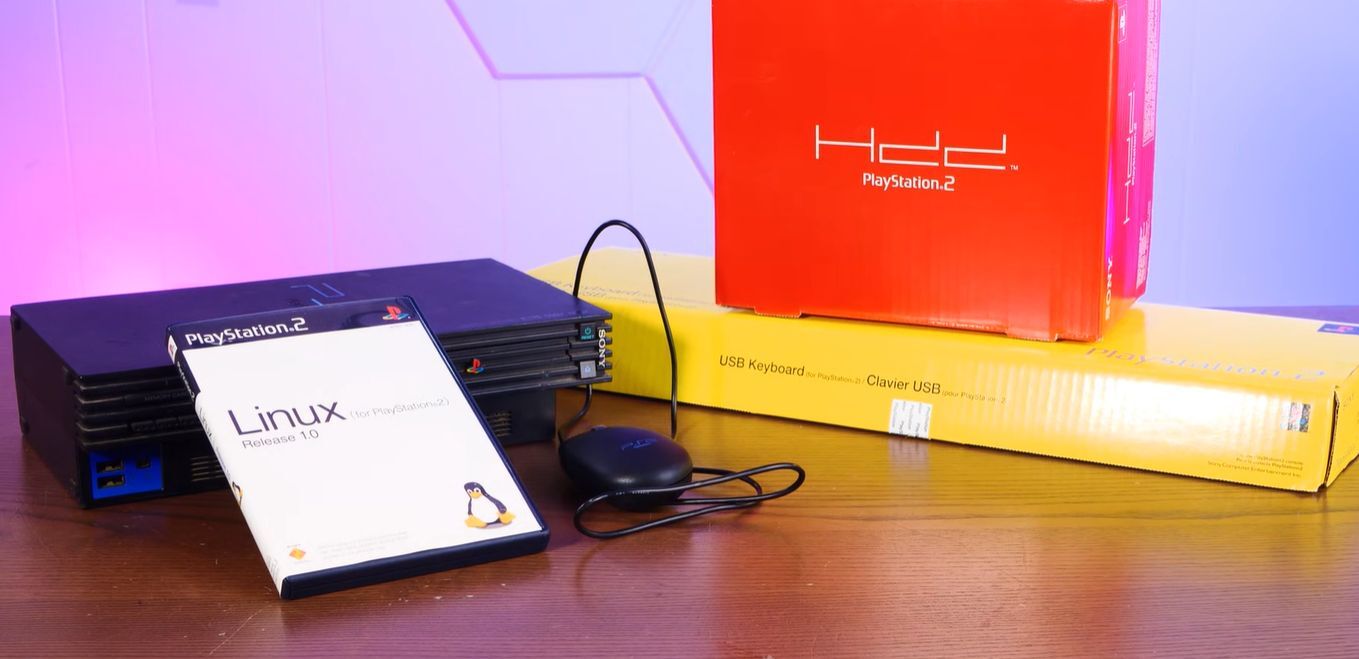
Until the 2000s, game consoles existed primarily to bring a bit of the gaming arcade experience to homes, providing graphical feats that the average home computer would struggle to emulate. By the 2000s this changed, along with the idea of running desktop applications on gaming console for some reason. Hence we got Linux for the PlayStation 2, targeting its MIPS R5900 CPU and custom GPU. Unlike these days where game consoles are reskinned gaming PCs, this required some real effort, as well as a veritable stack of accessories, as demonstrated by [Action Retro] in a recent video.
Linux on the PlayStation 2 was a bit of a rare beast, as it required not only the optional HDD and a compatible ‘fat’ PS2, but also an Ethernet adapter, VGA adapter and a dedicated 8 MB memory card along with a keyboard and mouse. PS2 Linux users were also not free to do what they wanted, with e.g. ripping PS2 game discs disallowed, but you could make your own games. All of which had to fit within the PS2’s meagre 32 MB of RAM.
Of these accessories, the keyboard and mouse are standard USB – sadly not PS/2 – peripherals. The 40 GB HDD is a Sony-branded IDE HDD, while the Ethernet adapter is proprietary and also has the IDE HDD connector. This means that the VGA and Ethernet adapter are the two parts you absolutely need to source alongside a compatible PS2.
Linux is installed from the PS2 Linux DVD much like launching a game, with the memory card used for certain boot files. With it being based on Debian Linux, it should be quite familiar to most Linux users of the era, but there’s no fancy wizard to automagically do things like setting up the partitions. For this there is the paper manual to somewhat hold your hand.