



Running the Steam Deck’s OS in a virtual machine using QEMU
Submitted by Roy Schestowitz on Wednesday 6th of July 2022 01:48:13 AM
Filed under 

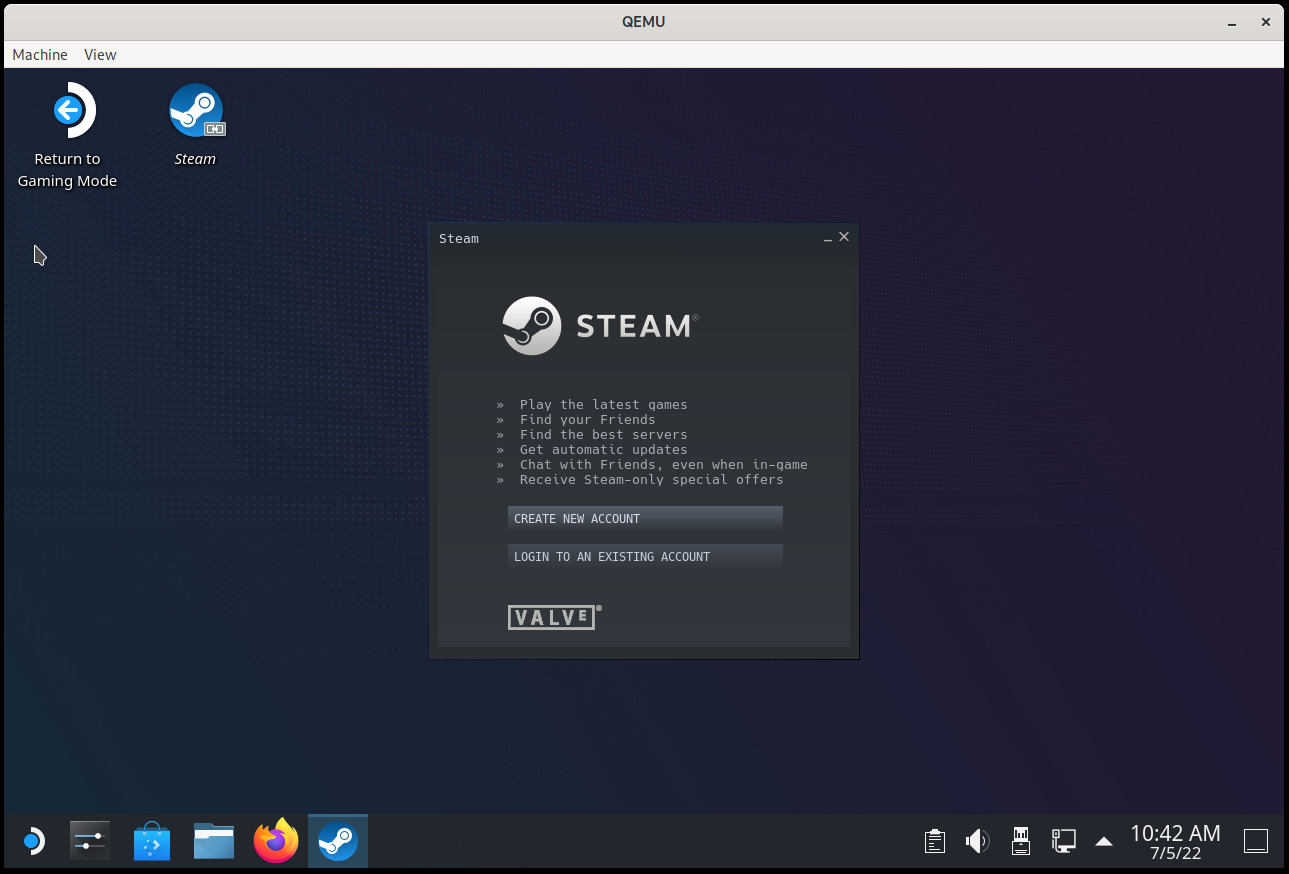
The Steam Deck is a handheld gaming computer that runs a Linux-based operating system called SteamOS. The machine comes with SteamOS 3 (code name “holo”), which is in turn based on Arch Linux.
Although there is no SteamOS 3 installer for a generic PC (yet), it is very easy to install on a virtual machine using QEMU. This post explains how to do it.
The goal of this VM is not to play games (you can already install Steam on your computer after all) but to use SteamOS in desktop mode. The Gamescope mode (the console-like interface you normally see when you use the machine) requires additional development to make it work with QEMU and will not work with these instructions.
A SteamOS VM can be useful for debugging, development, and generally playing and tinkering with the OS without risking breaking the Steam Deck.
Running the SteamOS desktop in a virtual machine only requires QEMU and the OVMF UEFI firmware and should work in any relatively recent distribution.

»
-

- Login or register to post comments
 Printer-friendly version
- 3168 reads
 PDF version
More in Tux Machines
- Highlights
- Front Page
- Latest Headlines
- Archive
- Recent comments
- All-Time Popular Stories
- Hot Topics
- New Members
today's howtos
|
Open Hardware: XON/XOFF and Raspberry Pi Pico
|
Security Leftovers
|
How to Apply Accent Colour in Ubuntu Desktop
A step-by-step tutorial on how to apply accent colour in Ubuntu desktop (GNOME) with tips for Kubuntu and others.
|


 This section of TuxMachines will no longer have new stories in it (with some caveats, including this post). To see the latest stories go to



 Content (where original) is available under CC-BY-SA, copyrighted by original author/s.



Recent comments
2 days 1 hour ago
2 days 5 hours ago
2 days 5 hours ago
3 days 12 hours ago
3 days 13 hours ago
3 days 14 hours ago
3 days 14 hours ago
3 days 15 hours ago
3 days 17 hours ago
3 days 19 hours ago