



This GNOME Extension Brings ’Material You’ Vibes to Linux Desktops
Submitted by Rianne Schestowitz on Monday 1st of August 2022 09:27:39 PM
Filed under

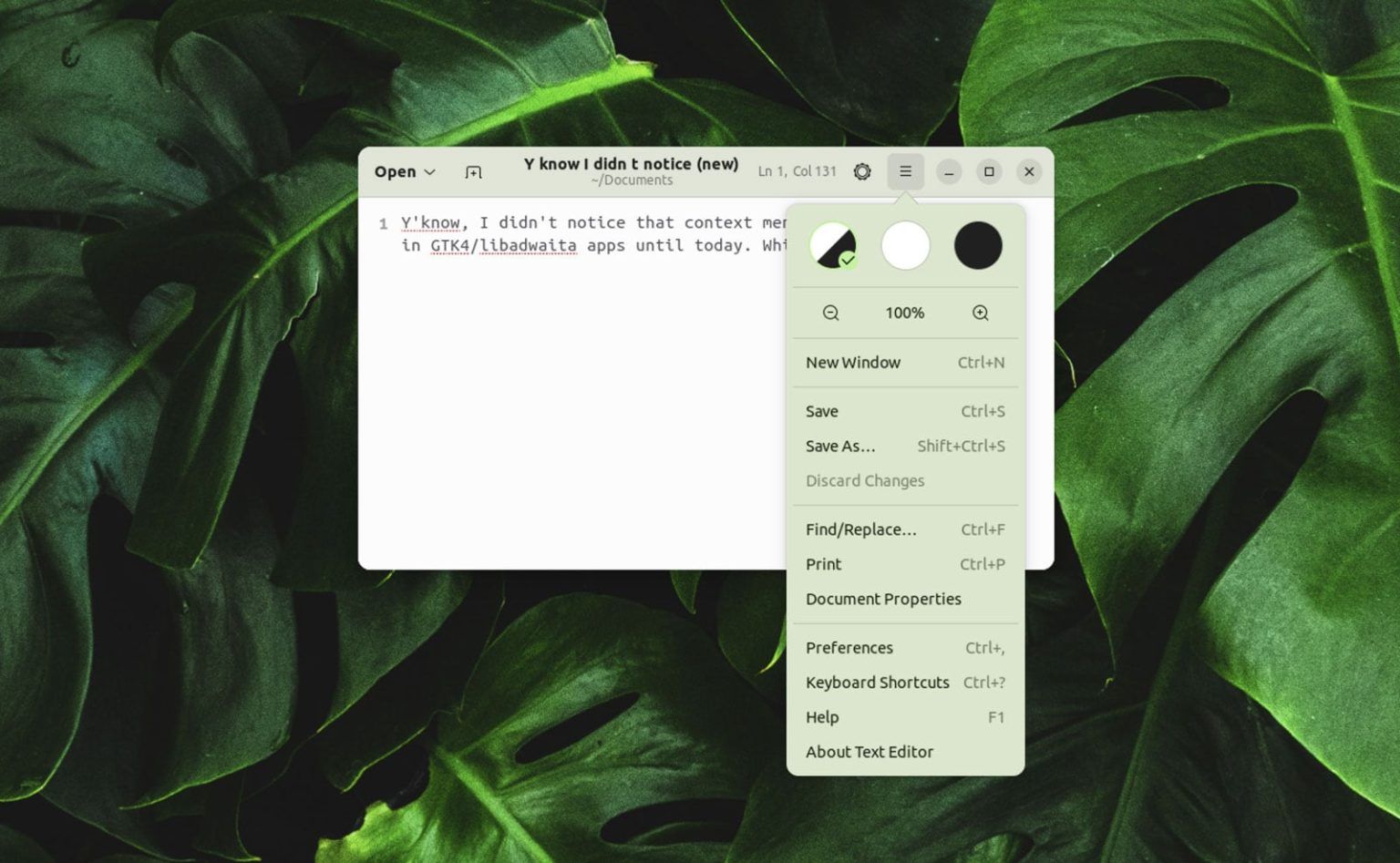
When enabled, ‘Material You Color Theming’ GNOME extension generates a patched version of GNOME desktop’s stock libadwaita theme accented by colours pulled directly from the desktop wallpaper.
Then, every time you change your wallpaper you can generate a new re-coloured Adwaita theme that affects the appearance all installed GTK4/libadwaita applications from the archive. Just mouse up to the tray icon the extension adds and hit the “Refresh Material Theme” option to VIBE CHANGE...

»
-

- Login or register to post comments
 Printer-friendly version
- 1573 reads
 PDF version
More in Tux Machines
- Highlights
- Front Page
- Latest Headlines
- Archive
- Recent comments
- All-Time Popular Stories
- Hot Topics
- New Members
today's howtos
| Open Hardware: XON/XOFF and Raspberry Pi Pico
|
Security Leftovers
| How to Apply Accent Colour in Ubuntu Desktop
A step-by-step tutorial on how to apply accent colour in Ubuntu desktop (GNOME) with tips for Kubuntu and others.
|


 This section of TuxMachines will no longer have new stories in it (with some caveats, including this post). To see the latest stories go to


.svg_.png)

 Content (where original) is available under CC-BY-SA, copyrighted by original author/s.



Updated: This GNOME Extension Brings ‘Material You’ to Linux
Updated: This GNOME Extension Brings ‘Material You’ to Linux Desktops