



Ubuntu and Canonical: Ubuntu 22.10 Editor, Canonical at Embedded World 2022, and Ubuntu in Devices
Submitted by Roy Schestowitz on Monday 30th of May 2022 09:30:29 PM
Filed under 
-
Ubuntu 22.10 Replaces Gedit with New Text Editor - OMG! Ubuntu!
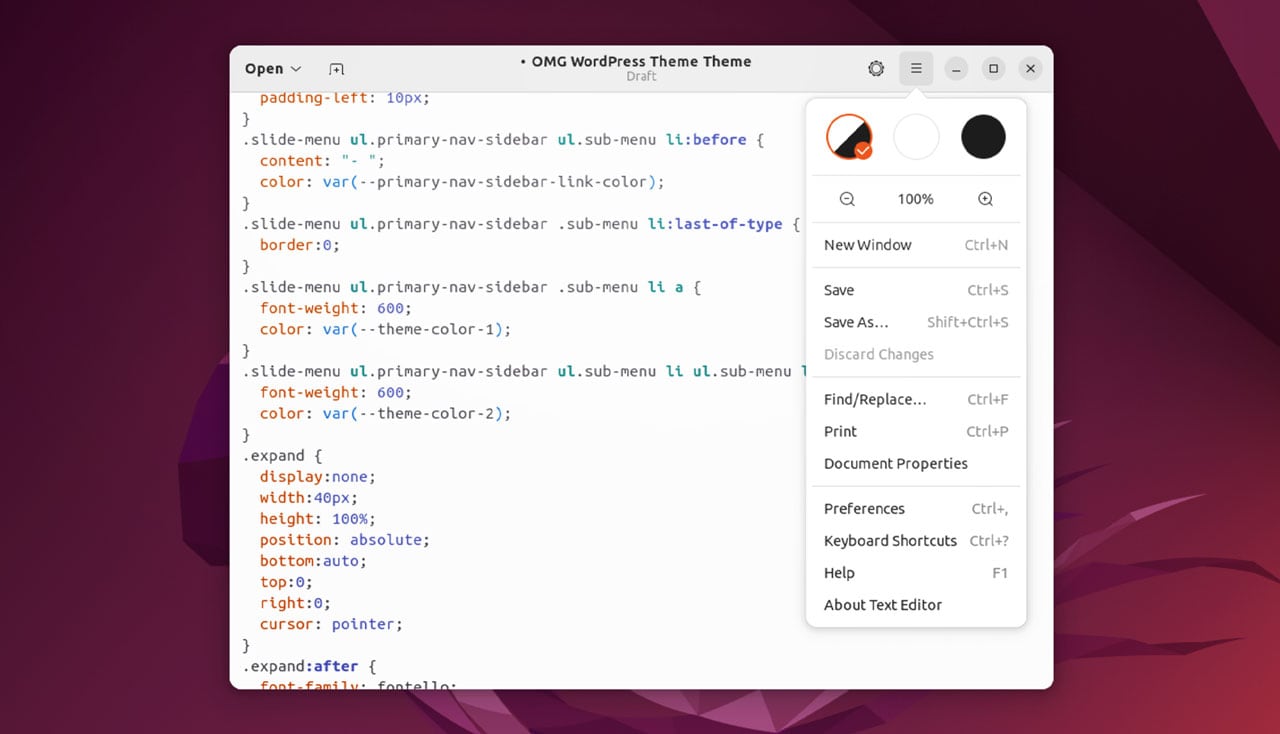
Ubuntu 22.10 is trying out a brand new text editor.
Daily builds of the ‘Kinetic Kudu’ come with the new GNOME ‘Text Editor’ app in place of seasoned software stalwart ‘Gedit‘.
Since Gedit is labelled as ‘text editor’ in Ubuntu you may need to re-read that sentence to understand the subtle difference.
Ubuntu 22.10’s new text editor is Text Editor, a GTK4 app shipping as part of GNOME’s core apps collection since the GNOME 42 release back in March. The new app has the package name gnome-text-editor and replaces the text editor whose package name is gedit.
Let’s look at what the change is happening.
-
Canonical at Embedded World 2022 | Ubuntu
Embedded World 2022 is almost here! From 21-23 June 2022, the 20th edition of the embedded world Conference will bring together experts from all areas of research for embedded systems, IoT & Edge devices.
It’s a very special event: We’ll be celebrating the launch of Ubuntu Core 22. Ubuntu Core is an optimised version of Ubuntu engineered for IoT and embedded systems. Ubuntu Core helps manufacturers meet these challenges with an ultra-secure, small-footprint and low-touch operating system, backed by a growing ecosystem of silicon & ODM partners.
Indeed, Ubuntu is supported across a wide-variety of SoCs (Systems on a chip) from industry-leading vendors including Intel, NVIDIA, Xilinx, NXP and Qualcomm. With the optimised Ubuntu on these platforms, you will get a first-class pre-validated operating system to develop your solution on and accelerate your project deliveries.
-
Embedded Linux development on Ubuntu – Part III | Ubuntu
Welcome to the concluding chapter of this journey on embedded Linux development with Ubuntu. We covered a lot of ground, so let us quickly recap what we learned so far.
In Part I we introduced Snaps, software packages designed for the world of IoT. Snap packages isolate and encapsulate an entire application, increasing the security and stability of embedded devices.
Snapcraft is the command-line tool to build snaps. It simplifies embedded development by allowing the packaging of any app for any Linux device. Snapcraft keeps your software up-to-date by automatically checking for updates four times a day. Head over to Part II to read more on Snapcraft and how it secures, eases and strengthens embedded Linux development.
In this concluding blog post, we’ll pull the different threads together and introduce Ubuntu Core, a version of the Ubuntu operating system designed and engineered for IoT systems. Built on snaps packages, Ubuntu Core automatically updates itself and its applications to create a confined and transaction-based system ideal for embedded devices.
»
-

- Login or register to post comments
 Printer-friendly version
- 1674 reads
 PDF version
More in Tux Machines
- Highlights
- Front Page
- Latest Headlines
- Archive
- Recent comments
- All-Time Popular Stories
- Hot Topics
- New Members
digiKam 7.7.0 is released
After three months of active maintenance and another bug triage, the digiKam team is proud to present version 7.7.0 of its open source digital photo manager. See below the list of most important features coming with this release.
|
Dilution and Misuse of the "Linux" Brand
|
Samsung, Red Hat to Work on Linux Drivers for Future Tech
The metaverse is expected to uproot system design as we know it, and Samsung is one of many hardware vendors re-imagining data center infrastructure in preparation for a parallel 3D world.
Samsung is working on new memory technologies that provide faster bandwidth inside hardware for data to travel between CPUs, storage and other computing resources. The company also announced it was partnering with Red Hat to ensure these technologies have Linux compatibility.
|
today's howtos
|


.svg_.png)

 Content (where original) is available under CC-BY-SA, copyrighted by original author/s.


Recent comments
1 year 11 weeks ago
1 year 11 weeks ago
1 year 11 weeks ago
1 year 11 weeks ago
1 year 11 weeks ago
1 year 11 weeks ago
1 year 11 weeks ago
1 year 11 weeks ago
1 year 11 weeks ago
1 year 11 weeks ago