



Purism Librem 14 review (part 1): The ethical flagship
Submitted by Roy Schestowitz on Sunday 1st of May 2022 06:22:40 PM
Filed under 

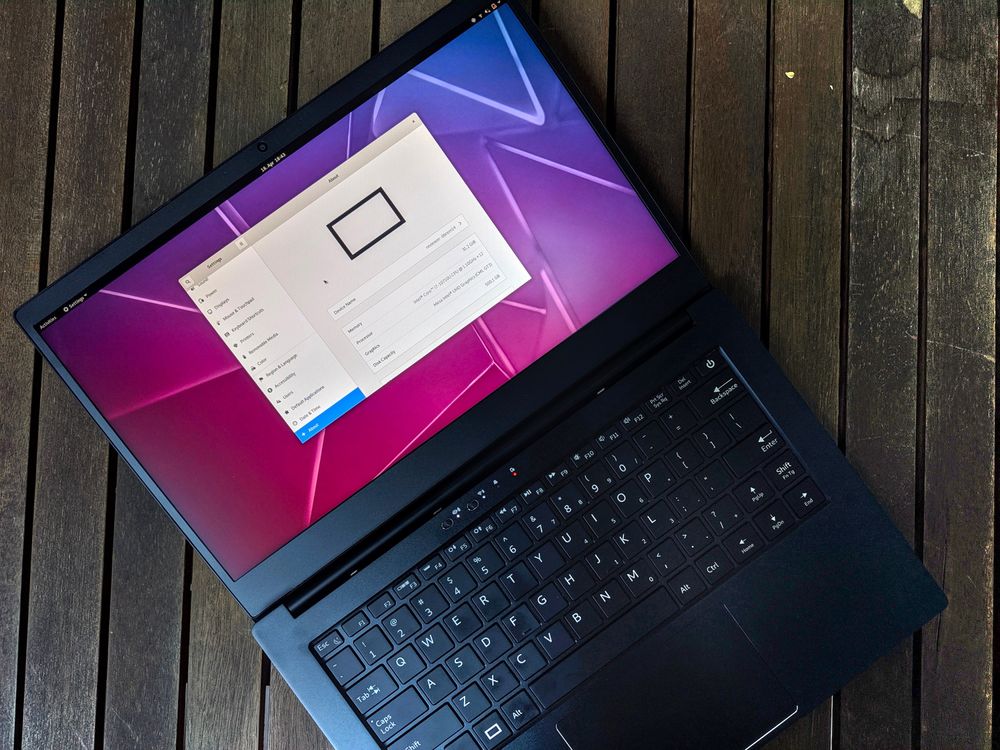
Most of our readers will already know Purism as a company: founded in 2014 in San Francisco, this then-startup focused on providing no-compromise libre hardware to the world, with a strong focus on privacy, security and transparency of their hardware.
However, up to this review, I never had the chance to get my hands on a Purism device: due to the low availability and high retail price, I could never see a Librem 5 in real life, in spite of it being probably the device that started the new wave of Linux on phones. So when I had the chance to review Purism's current flagship laptop, the Librem 14, I gladly took the chance to get clearer thoughts on the company, and know what hid behind the rising hype.
To start, Purism is famous among open-source enthusiasts for an openly Apple-ish presentation of their products: minimal aesthetics, premium prices, extensive design and hardware research is something that not all small laptop manufacturers can boast about. Similarly, the idea of zero-compromise libre hardware is quite ambitious, if not worryingly expensive, to pursue for a small hardware company.
Nowadays, Purism is a known brand among enthusiasts especially in the fields of privacy and information security: being pioneers, among others, of hardware kill-switches, CoreBoot support, and now also open-firmwarecontrollers (all of which we will explain later), Purism has been trying to find its place in the premium laptop market.

»
-

- Login or register to post comments
 Printer-friendly version
- 4238 reads
 PDF version
More in Tux Machines
- Highlights
- Front Page
- Latest Headlines
- Archive
- Recent comments
- All-Time Popular Stories
- Hot Topics
- New Members
digiKam 7.7.0 is released
After three months of active maintenance and another bug triage, the digiKam team is proud to present version 7.7.0 of its open source digital photo manager. See below the list of most important features coming with this release.
|
Dilution and Misuse of the "Linux" Brand
|
Samsung, Red Hat to Work on Linux Drivers for Future Tech
The metaverse is expected to uproot system design as we know it, and Samsung is one of many hardware vendors re-imagining data center infrastructure in preparation for a parallel 3D world.
Samsung is working on new memory technologies that provide faster bandwidth inside hardware for data to travel between CPUs, storage and other computing resources. The company also announced it was partnering with Red Hat to ensure these technologies have Linux compatibility.
|
today's howtos
|


.svg_.png)

 Content (where original) is available under CC-BY-SA, copyrighted by original author/s.


Recent comments
1 year 11 weeks ago
1 year 11 weeks ago
1 year 11 weeks ago
1 year 11 weeks ago
1 year 11 weeks ago
1 year 11 weeks ago
1 year 11 weeks ago
1 year 11 weeks ago
1 year 11 weeks ago
1 year 11 weeks ago