



today's leftovers
Submitted by Roy Schestowitz on Tuesday 19th of April 2022 12:17:29 AM
Filed under 
-
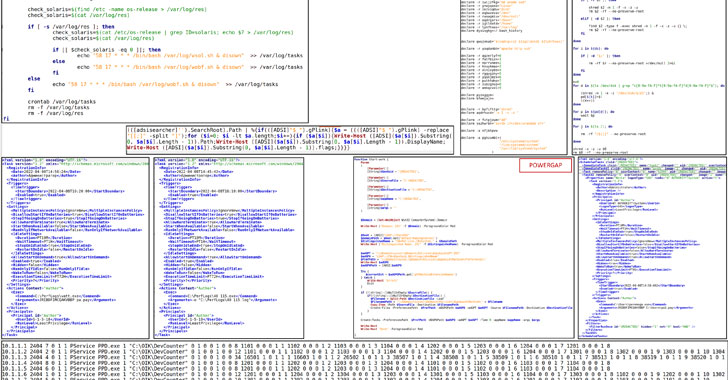
Russian Hackers Tried Attacking Ukraine's Power Grid with Industroyer2 Malware
"The Sandworm attackers made an attempt to deploy the Industroyer2 malware against high-voltage electrical substations in Ukraine," ESET explained. "In addition to Industroyer2, Sandworm used several destructive malware families including CaddyWiper, OrcShred, SoloShred, and AwfulShred."
-
Please welcome Thom and Chris to Library Contributors
Please welcome Thom Chiovoloni and Chris Denton to the Library Contributors group!
Thom has been working on various improvements to the implementation of the standard library, such as optimizing io::Error, optimizing Chars::count, and has been helping out with reviewing various implementation changes.
-
Experiment with ’80s graphics using this breadboard setup
Before standardized video cards came along, computer and video game console designers utilized video chips. Those simplified the design process and offloaded much of the work from the processor. Those video chips had hardcoded graphical building blocks and handled video generation. One of the most popular was the Texas Instruments TMS9918 used in the ColecoVision, TI-99/4, and MSX computers. This write-up from Doctor Volt will walk you through how to use an Arduino Nano to output graphics from the TMS9918.
You can follow this tutorial with just a breadboard, a TMS9918 VDP (video display processor), and a handful of compatible DRAM (or SRAM with D-flops) chips. The Arduino board acts as the rest of the computer in this setup. If you wanted to create a video game console, for example, the Nano would handle all the game’s logic. It would then tell the TMS9918 what graphics to display on the screen. The Nano controls the TMS9918 video the RAM chips, where it writes bytes that describe the onscreen content.
-
Ubuntu Weekly Newsletter Issue 731
-
Ubuntu Fridge | Ubuntu Weekly Newsletter Issue 731
Welcome to the Ubuntu Weekly Newsletter, Issue 731 for the week of April 10 – 16, 2022.
-
Lior Kaplan, Mossad & Debian
A talented IT professional like Kaplan is probably not expected to put on a uniform and carry a gun. During the periods when he is unavailable it is more likely that professionals like Kaplan are asked to assist with signals intelligence and cyber war.
-
Network outage next Thursday, April 21st - openSUSE admin - openSUSE Project Management Tool
SUSE-IT plans a replacement of some network equipment in the Nuremberg Datacenter next Thursday (2022-04-21), between 4PM to 5PM CEST. Actual downtime is planned to be up to 15 minutes.
-
Looks like the Steam Deck will get Refresh Rate Switching | GamingOnLinux
Valve continue to cook up plans for more exciting upgrades to the Steam Deck, with Refresh Rate Switching looking like it's on the way. Not ready quite yet with work to do but the idea is great.
»
-

- Login or register to post comments
 Printer-friendly version
- 1465 reads
 PDF version
More in Tux Machines
- Highlights
- Front Page
- Latest Headlines
- Archive
- Recent comments
- All-Time Popular Stories
- Hot Topics
- New Members
digiKam 7.7.0 is released
After three months of active maintenance and another bug triage, the digiKam team is proud to present version 7.7.0 of its open source digital photo manager. See below the list of most important features coming with this release.
|
Dilution and Misuse of the "Linux" Brand
|
Samsung, Red Hat to Work on Linux Drivers for Future Tech
The metaverse is expected to uproot system design as we know it, and Samsung is one of many hardware vendors re-imagining data center infrastructure in preparation for a parallel 3D world.
Samsung is working on new memory technologies that provide faster bandwidth inside hardware for data to travel between CPUs, storage and other computing resources. The company also announced it was partnering with Red Hat to ensure these technologies have Linux compatibility.
|
today's howtos
|


.svg_.png)

 Content (where original) is available under CC-BY-SA, copyrighted by original author/s.


Recent comments
1 year 11 weeks ago
1 year 11 weeks ago
1 year 11 weeks ago
1 year 11 weeks ago
1 year 11 weeks ago
1 year 11 weeks ago
1 year 11 weeks ago
1 year 11 weeks ago
1 year 11 weeks ago
1 year 11 weeks ago