



Meet the Arch Hurd
Submitted by Roy Schestowitz on Friday 25th of February 2022 04:01:38 PM
Filed under 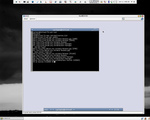


The Arch Linux is not always Linux it can have other kernels, like for example the PacBSD which is the Arch with the kernel of FreeBSD .
The Arch Hurd are the Arch packages with the kernel GNU/Hurd and logical with the GNU tools .
The Arch Hurd project was founded on an Arch Linux forum thread in January 2010, and after a few weeks of much input, it has progressed to the point where it can boot into a virtual machine.
It aims to provide an Arch-like user environment (BSD style init scripts , packages optimized for i686, use of the pacman packages, rolling-release and a KISS ) configuration on the Hurd that is stable enough to use.
Despite having a small development team, a lot of progress has been made since its founding, such as booting on real hardware, packaging everything for a basic web server, and producing an unofficial graphical LiveCD.

»
-

- Login or register to post comments
 Printer-friendly version
- 2944 reads
 PDF version
More in Tux Machines
- Highlights
- Front Page
- Latest Headlines
- Archive
- Recent comments
- All-Time Popular Stories
- Hot Topics
- New Members
digiKam 7.7.0 is released
After three months of active maintenance and another bug triage, the digiKam team is proud to present version 7.7.0 of its open source digital photo manager. See below the list of most important features coming with this release.
|
Dilution and Misuse of the "Linux" Brand
|
Samsung, Red Hat to Work on Linux Drivers for Future Tech
The metaverse is expected to uproot system design as we know it, and Samsung is one of many hardware vendors re-imagining data center infrastructure in preparation for a parallel 3D world.
Samsung is working on new memory technologies that provide faster bandwidth inside hardware for data to travel between CPUs, storage and other computing resources. The company also announced it was partnering with Red Hat to ensure these technologies have Linux compatibility.
|
today's howtos
|


.svg_.png)

 Content (where original) is available under CC-BY-SA, copyrighted by original author/s.


Recent comments
1 year 11 weeks ago
1 year 11 weeks ago
1 year 11 weeks ago
1 year 11 weeks ago
1 year 11 weeks ago
1 year 11 weeks ago
1 year 11 weeks ago
1 year 11 weeks ago
1 year 11 weeks ago
1 year 11 weeks ago