



Sailfish OS Suomenlinna brings increased security, stability and reliability
Submitted by Roy Schestowitz on Wednesday 10th of November 2021 05:37:05 PM
Filed under 
Suomenlinna is a Fortress built spanning four islands in the Suomenlahti (Gulf of Finland) just South of Helsinki. While Jolla just celebrated its tenth year, Suomenlinna, which literally translates to Finnish Castle, is somewhat older. Construction was started 267 years ago, with many thousands of workers building for nearly ten years before it was completed. Nowadays it’s designated as a World Heritage Site and you can visit it by ferry all year round to see it for yourself.
It’s an appropriate codename for the Sailfish OS 4.3.0 Suomenlinna release given the emphasis we’ve placed on security improvements for this version of the operating system.
For while we saw a tranche of new features included in the Sailfish OS 4.2.0 Verla release, in 4.3.0 Suomenlinna it’s much more about stability, bug-fixes and security improvements.
Deeper integration and improved security
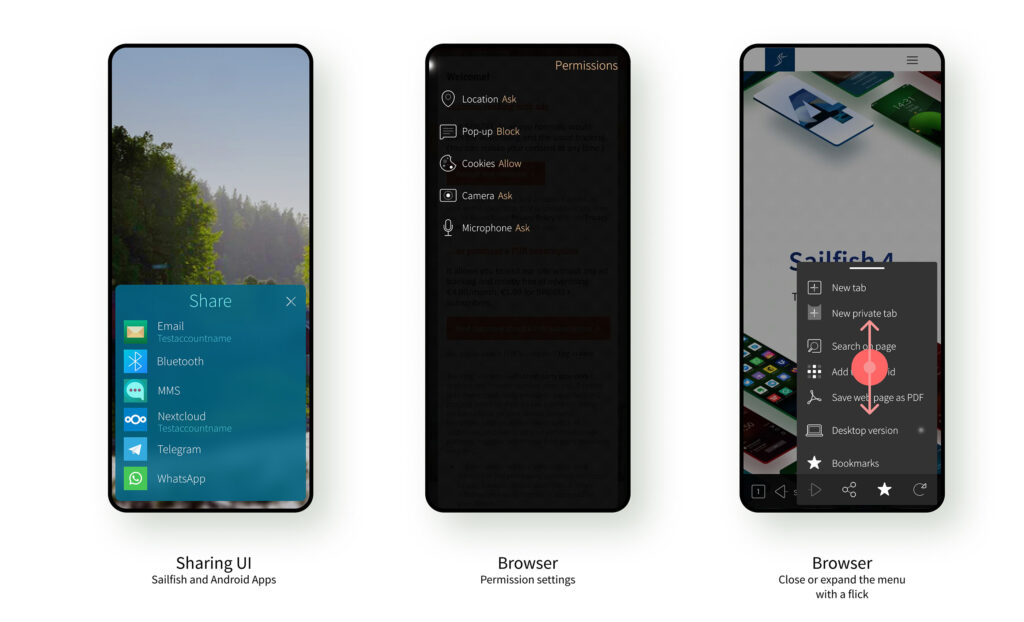
The headline improvement is one that was already trailed by Ville in his recent Sandboxing blog post. From now on, any app that defines an application profile will be automatically sandboxed. This is currently an opt-in process; any app that isn’t updated in this way will still run outside the sandbox. As a user this means you will start to see some third party apps bring up the sandboxing dialogue on first run. You should already be familiar with this from 4.2.0, in which the Jolla apps were already sandboxed. In 4.3.0 Suomenlinna you’ll start to see this more often. Users can of course still run apps however they want, but can feel more confident when running apps inside the sandbox.
This is an important security advancement, and follows the roadmap Ville described towards having all apps sandboxed. We’ve been careful to increase security without compromising user-control, and we think you’ll appreciate the extra peace-of-mind that sandboxing brings.

Also: Sailfish OS 4.3 Released With Better Android App Support - Phoronix
»
-

- Login or register to post comments
 Printer-friendly version
- 2070 reads
 PDF version
More in Tux Machines
- Highlights
- Front Page
- Latest Headlines
- Archive
- Recent comments
- All-Time Popular Stories
- Hot Topics
- New Members
digiKam 7.7.0 is released
After three months of active maintenance and another bug triage, the digiKam team is proud to present version 7.7.0 of its open source digital photo manager. See below the list of most important features coming with this release.
|
Dilution and Misuse of the "Linux" Brand
|
Samsung, Red Hat to Work on Linux Drivers for Future Tech
The metaverse is expected to uproot system design as we know it, and Samsung is one of many hardware vendors re-imagining data center infrastructure in preparation for a parallel 3D world.
Samsung is working on new memory technologies that provide faster bandwidth inside hardware for data to travel between CPUs, storage and other computing resources. The company also announced it was partnering with Red Hat to ensure these technologies have Linux compatibility.
|
today's howtos
|


.svg_.png)

 Content (where original) is available under CC-BY-SA, copyrighted by original author/s.


Recent comments
1 year 11 weeks ago
1 year 11 weeks ago
1 year 11 weeks ago
1 year 11 weeks ago
1 year 11 weeks ago
1 year 11 weeks ago
1 year 11 weeks ago
1 year 11 weeks ago
1 year 11 weeks ago
1 year 11 weeks ago