



Boot Vector
Submitted by Roy Schestowitz on Sunday 9th of May 2021 11:39:08 PM
Filed under 

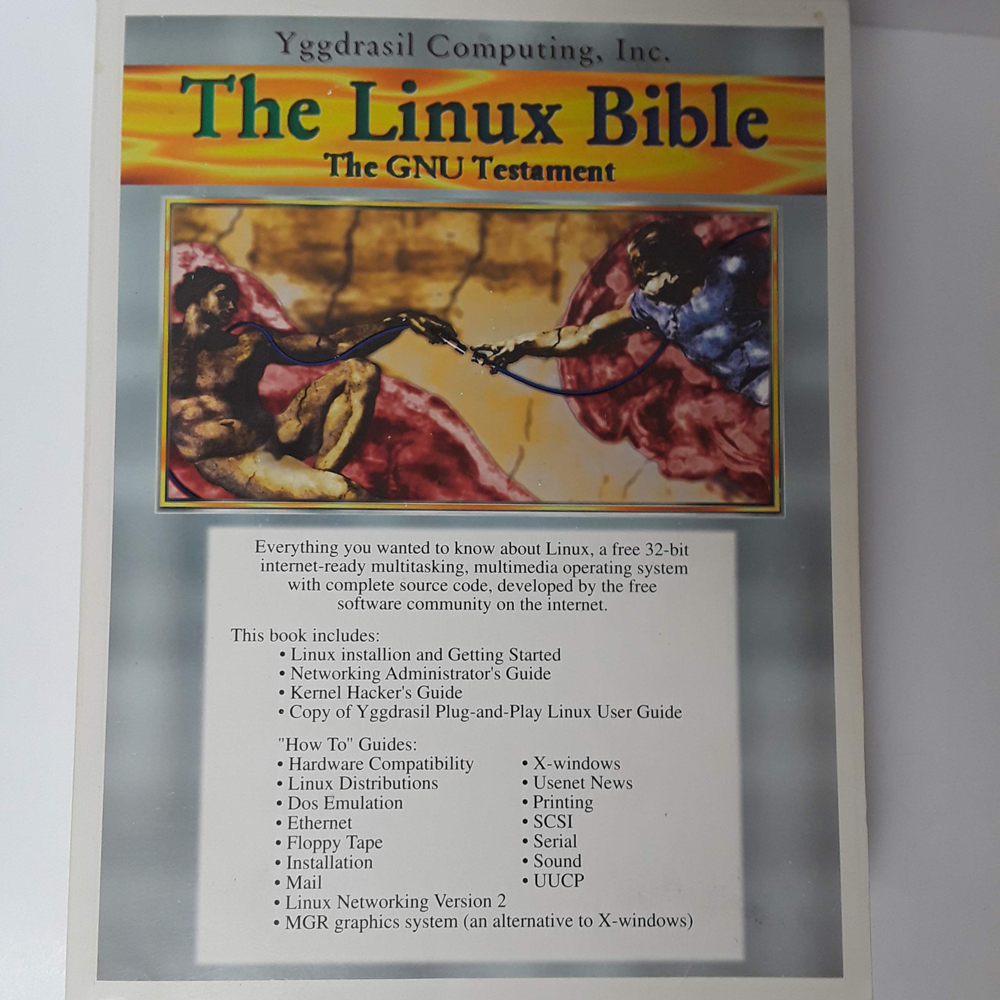
But in the 1990s, as Linux was first emerging as a potential operating system with mainstream appeal, the options weren’t necessarily so easy to grasp, which meant that you had to put it on a disk drive before you could actually use it. But doing so in a way that wasn’t destructive went over the heads of new users.
And given that Windows already gave users enough heartache, if Linux was going to win over a large audience, it was going to have to be presented in a way that a regular person could try without the risk of breaking anything.
There was just one problem: The technology wasn’t yet ready. The original alpha of Yggdrasil Linux/GNU/X, considered the first Live CD built expressly for Linux, released well before the term “Live CD” was even in use, required 8 megabytes of RAM, at a time when that much RAM was not necessarily common in mainstream computers. (The final release, still downloadable today, lowered the number to 4MB of RAM.)
While a landmark of sorts today, Yggdrasil quickly faded from view, and that meant that others would be left to try again.
The passage of time was a useful thing, however. In 2000, the Pentium III was common, and the Pentium 4 had just been released. The CD-ROM drive, long having gotten past the caddy, had reached speeds of as high as 52X, whirring along at more than 6,000 revolutions per minute, to draw read speeds above 6 megabytes per second. (By comparison, the average SATA SSD maxes out at 600 megabytes per second; a modern high-end hard drive can hit maybe a third of that speed.) And DVD-ROMs, which started at 1.25 megabytes per second in speed (nearly 10 times that of a 1X CD-ROMs) were becoming mainstream by this point, and could hold significantly more data, to boot.
But then, there was the portability factor—how were we going to get these live CDs out to lots of people? If you ever went to a Barnes & Noble and picked up a Linux magazine off the rack, you know the answer already—the live CD distros that were often distributed with magazines! But that didn’t necessarily make itself clear at first.

»
-

- Login or register to post comments
 Printer-friendly version
- 2571 reads
 PDF version
More in Tux Machines
- Highlights
- Front Page
- Latest Headlines
- Archive
- Recent comments
- All-Time Popular Stories
- Hot Topics
- New Members
digiKam 7.7.0 is released
After three months of active maintenance and another bug triage, the digiKam team is proud to present version 7.7.0 of its open source digital photo manager. See below the list of most important features coming with this release.
|
Dilution and Misuse of the "Linux" Brand
|
Samsung, Red Hat to Work on Linux Drivers for Future Tech
The metaverse is expected to uproot system design as we know it, and Samsung is one of many hardware vendors re-imagining data center infrastructure in preparation for a parallel 3D world.
Samsung is working on new memory technologies that provide faster bandwidth inside hardware for data to travel between CPUs, storage and other computing resources. The company also announced it was partnering with Red Hat to ensure these technologies have Linux compatibility.
|
today's howtos
|


.svg_.png)

 Content (where original) is available under CC-BY-SA, copyrighted by original author/s.


Recent comments
1 year 11 weeks ago
1 year 11 weeks ago
1 year 11 weeks ago
1 year 11 weeks ago
1 year 11 weeks ago
1 year 11 weeks ago
1 year 11 weeks ago
1 year 11 weeks ago
1 year 11 weeks ago
1 year 11 weeks ago