



Sailfish OS Koli
Submitted by Roy Schestowitz on Tuesday 16th of February 2021 02:55:53 PM
Filed under 

-
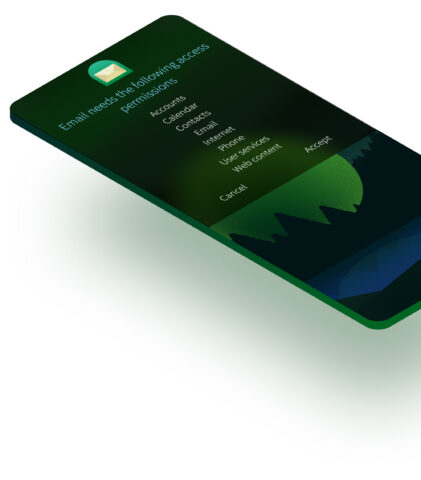
Fourth generation of Sailfish OS is here!
We’ve come a long way, since Sailfish OS was first introduced in 2013. Now as we enter the 4th generation with Sailfish OS, the secure platform for trusted mobile solutions, we can proudly say that our product is in great shape and ready to expand to new frontiers! After Sailfish 3 was launched many big developments have happened that have have impacted Jolla, Sailfish OS, our partners with us, and all the daily Sailfish users.
[...]
The first Sailfish 4 software release, Koli, is today made available to all Sailfish users. You’re welcome to read more details from the Koli blog post, which our software engineer David Llewellyn-Jones has crafted.
To celebrate this milestone Sailfish 4 release, we’ve also just published a major update to the Sailfish OS website to show better and more visually what this great alternative OS is all about – be sure to check out that as well!
-
Sailfish OS Koli is now available
No doubt you’ll already have read about the transition of Sailfish OS into its fourth generation. And that, of course, also means a new Sailfish OS release. We’re very pleased to announce Sailfish OS 4.0.1 Koli, one of our biggest Sailfish releases for a long time. There are far too many improvements to cover all of them in detail here – you can check details from the release notes. In line with our version 4 naming, we’ve chosen to look at four significant improvements below.
But before getting in to that, you’ll of course want to know about Koli. The Koli National Park is in the North Karelia region of Finland in the east, hugging the western shore of Lake Pielinen, which you can see in the update photo. It’s not hard to see why the beautiful vistas provided inspiration for Jean Sibelius, composer of the Finnish national anthem. The photograph also shows the characteristic white quartzite on the Koli “vaara” (amongst the many words for “hill” in Finnish, “vaara” is the second smallest).
»
-

- Login or register to post comments
 Printer-friendly version
- 2108 reads
 PDF version
More in Tux Machines
- Highlights
- Front Page
- Latest Headlines
- Archive
- Recent comments
- All-Time Popular Stories
- Hot Topics
- New Members
digiKam 7.7.0 is released
After three months of active maintenance and another bug triage, the digiKam team is proud to present version 7.7.0 of its open source digital photo manager. See below the list of most important features coming with this release.
|
Dilution and Misuse of the "Linux" Brand
|
Samsung, Red Hat to Work on Linux Drivers for Future Tech
The metaverse is expected to uproot system design as we know it, and Samsung is one of many hardware vendors re-imagining data center infrastructure in preparation for a parallel 3D world.
Samsung is working on new memory technologies that provide faster bandwidth inside hardware for data to travel between CPUs, storage and other computing resources. The company also announced it was partnering with Red Hat to ensure these technologies have Linux compatibility.
|
today's howtos
|


.svg_.png)

 Content (where original) is available under CC-BY-SA, copyrighted by original author/s.


Recent comments
1 year 11 weeks ago
1 year 11 weeks ago
1 year 11 weeks ago
1 year 11 weeks ago
1 year 11 weeks ago
1 year 11 weeks ago
1 year 11 weeks ago
1 year 11 weeks ago
1 year 11 weeks ago
1 year 11 weeks ago