

Language Selection

English French German Italian Portuguese Spanish

Ubuntu 20.04 Released. This is What's New.

Filed under
Ubuntu

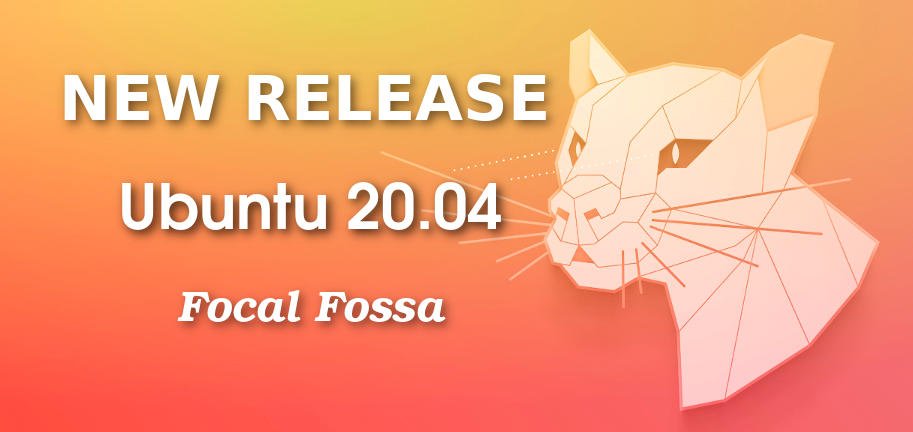
Canonical announced the immediate release of its flagship desktop and enterprise operating system Ubuntu 20.04. This Ubuntu 20.04 is a long term support release and users will get support and security updates till April 2025.
Read more

Released (now it is official)

  • Ubuntu 20.04 LTS Released. Download Now!

    If you are already using Ubuntu 18.04 or 19.10, you can easily upgrade to Ubuntu 20.04 from within your system.

    This way, your files and most of the applications settings remain as it is while you start using the new version without reinstalling it from the ISO.

    You can read this detailed tutorial to learn how to upgrade Ubuntu to a newer version.

    Please note that if you are using Lubuntu 18.04, you must not upgrade to Lubuntu 20.04. Lubuntu 18.04 used Lxde desktop while later versions use LXQt desktop. Upgrading this way result in conflicts and possible broken system.

  • Ubuntu 20.04 LTS Official Flavors Released, Here’s What’s New

    The official flavors have been released as well and I want you to be the first to read about their new features.

    The official flavors released as part of Ubuntu 20.04 LTS (Focal Fossa) include Kubuntu 20.04 LTS, Xubuntu 20.04 LTS, Lubuntu 20.04 LTS, Ubuntu Studio 20.04 LTS, Ubuntu MATE 20.04 LTS, Ubuntu Budgie 20.04 LTS, and Ubuntu Kylin 20.04 LTS. They include all the features of Ubuntu 20.04 LTS and much more…

    Kubuntu 20.04 LTS ships with the latest KDE Plasma 5.18 LTS desktop environment, KDE Applications 19.12.3 software suite, Qt 5.12.8 LTS, Elisa 19.12.3 as default music player instead of Cantata, digiKam 6.4.0, KDEConnect 1.4.0, KDevelop 5.5.0, Krita 4.2.9, and Latte Dock 0.9.10. It also removes the KDE PIM Suite from the default install and adds experimental ZFS on root installer support.

  • Lubuntu 20.04 LTS (Focal Fossa) Released!

    Thanks to all the hard work from our contributors, Lubuntu 20.04 LTS has been released! With the codename Focal Fossa, Lubuntu 20.04 is the 18th release of Lubuntu, the fourth release of Lubuntu with LXQt as the default desktop environment, and the first Long Term Support release with LXQt.

    [...]

    Lubuntu 19.10 will be supported for three months, until July 2020, and Lubuntu 18.04 LTS, the last supported release with LXDE, will be supported until April 2021. For both of these releases, we are limiting changes to critical fixes and underlying system changes shipped with all other Ubuntu flavors.

    Note, due to the extensive changes required for the shift in desktop environments, the Lubuntu team does not support upgrading from 18.04 or below to any greater release. Doing so will result in a broken system. If you are on 18.04 or below and would like to upgrade, please do a fresh install.

  • Lubuntu 20.04 LTS Focal Fossa Version Released Today! {Official}

    Ubuntu 20.04 LTS Released: Lubuntu 20.04 is developed under the Ubuntu 20.04 LTS platform. Lubuntu 20.04 is the first release as the 20.04 version. Lubuntu 20.04 is a long term support version.

  • Ubuntu 20.04 LTS Now Available For Download

    Ubuntu 20.04 "Focal Fossa" is now available as the distribution's newest long-term support release.

    Ubuntu 20.04 LTS on the desktop is shipping with GNOME 3.36 and its plethora of improvements, improved OpenZFS support as an experimental option, the Linux 5.4 LTS kernel and the many improvements the new kernel brings, WireGuard VPN support, and a wealth of other package updates.

  • Ubuntu 20.04 LTS Released – Here’s What’s New

    Canonical officially announced today its Ubuntu 20.04 LTS (Focal Fossa) operating system for computers, IoT, and cloud environments.

    Ubuntu 20.04 LTS is dubbed “Focal Fossa” and it’s Canonical’s Eighth LTS (Long Term Support) release. It will be supported with security and software updates for five years, until April 2025, This release received numerous improvements over previous releases.

    Ubuntu 20.04 LTS features the latest GNOME 3.36 desktop environment by default and it’s powered by the most recent and advanced kernel, Long term Support of Linux kernel 5.4. which it brings improved hardware support (among other features). Ubuntu developers have also enabled support for WireGuard (the secure VPN technology) and integration with Livepatch (for reboot-free kernel updates).

    Probably the most important new feature of the Ubuntu 20.04 LTS (Focal Fossa) operating system is shown OEM vendor logo during boot. The yaru default theme for all ubuntu version improved introduced a dark variant, which it comes with three variations that user can switch from “Settings” – Yaru dark, Yaru Light and Yaru standard that falls in between ‘dark and light.’

  • It’s Here: Ubuntu 20.04 is Now Available to Download!

    This is the final, stable release of Ubuntu 20.04, codename ‘Focal Fossa’. It comes with 5 years of guaranteed security updates, critical fixes, and select software updates from Canonical.

    You can download Ubuntu 20.04 direct from the Ubuntu image server using the link below. This will download a 64-bit .iso image of the release that is around 2.7GB in size.

    Once the download completes you will need to write the Ubuntu 20.04 .iso image to a blank DVD or flash it to a USB stick using a tool like Etcher. Then just pop the DVD in or plug in the USB and reboot, selecting the appropriate boot option.

  • Ubuntu 20.04 LTS Released Today! Codenamed Focal Fossa Is Out For Download & Use!

    Ubuntu 20.04[Stable]: There it is. The most awaited and the most advanced Ubuntu ever made, the Ubuntu 20.04 code-named Focal Fossa stable final release from Canonical is now released and officially available for users.

Ubuntu 20.04 LTS Officially Released

  • Ubuntu 20.04 LTS Officially Released

    First and foremost, it’s important to know that Ubuntu 20.04 ships with Linux kernel 5.4, so it includes notable refinements, like better hardware support and enhanced security.

    There are major changes in terms of UI as well, and the first things you’ll notice are the updated login and lock screens. But of course, a highlight in this regard is the highly-polished dark mode, which you can enable from the Appearance page of the Settings app where it’s listed alongside the standard and the light themes.

Ubuntu 20.04 LTS arrives

  • Ubuntu 20.04 LTS arrives

    Canonical, the publisher of Ubuntu, today announced the general availability of Ubuntu 20.04 LTS, with a particular emphasis on security and performance.

    “Accelerating open source globally is our mission. Ubuntu 20.04 LTS is the new state of the art open source platform for the enterprise and the entrepreneur,” said Mark Shuttleworth, CEO of Canonical. “We bring together thousands of contributors and the world’s largest technology companies to make Ubuntu 20.04 LTS the standard reference platform for secure cloud and edge compute.”

    Ubuntu has reached the top of independent rankings of enterprise Linux security. Ubuntu 20.04 LTS applies Kernel Self Protection measures, assures control flow integrity and adds stack-clash protection for systemic forward-looking enterprise security.

Kubuntu 20.04 LTS has been released, featuring Plasma 5.18 LTS

  • Kubuntu 20.04 LTS has been released, featuring Plasma 5.18 LTS

    The Kubuntu Team is happy to announce that Kubuntu 20.04 LTS has been released, featuring the beautiful KDE Plasma 5.18 LTS: simple by default, powerful when needed.

    Codenamed “Focal Fossa”, Kubuntu 20.04 continues our tradition of giving you Friendly Computing by integrating the latest and greatest open source technologies into a high-quality, easy-to-use Linux distribution.

    The team has been hard at work through this cycle, introducing new features and fixing bugs.

    Under the hood, there have been updates to many core packages, including a new 5.4-based kernel, KDE Frameworks 5.68, Plasma 5.18 LTS and KDE Applications 19.12.3

Ubuntu 20.04 arrives with Linux 5.4 kernel and WireGuard VPN

  • Ubuntu 20.04 arrives with Linux 5.4 kernel and WireGuard VPN

    As expected, Canonical has released the newest version of its Ubuntu Linux distribution, Ubuntu 20.04. This long-term-support (LTS) version is more than just the latest version of one of the most popular Linux distributions; it's a major update for desktop, server, and cloud users.

    Let's start with the core operating system. Here, you'll find Ubuntu 20.04, aka Focal Fossa, is now based on November 2019's Linux 5.4 kernel. This kernel includes significant new features.

Ubuntu 20.04 Has Been Released

  • Ubuntu 20.04 Has Been Released

    Right on schedule, Canonical has released the latest version of the Ubuntu desktop. Focal Fossa includes plenty of new features that should excite any and all Linux and Ubuntu fans. This latest iteration of the Ubuntu desktop is an LTS (Long Term Support) release, which means it will be supported until 2025.

    Focal Fossa is built upon the Linux 5.4 kernel (which is also an LTS release).

    One of the most anticipated features included with 20.04 is the Wireguard VPN service, which is built-in at the kernel level and is significantly easier to setup than a traditional VPN. Wireguard is also more secure than other solutions, partially because it is implemented within the kernel and is limited to using only new and more secure cryptographic protocols.

Latest articles and videos about Ubuntu 20.04 release

  • What to do after installing Ubuntu 20.04

    In this video, we are looking at some of the things which you might like to do after installing Ubuntu 20.04. Enjoy!

  • What is new in Ubuntu 20.04

    In this video, we are looking at some of the new features in Ubuntu 20.04. Enjoy!

  • Ubuntu 20.04 LTS (Focal Fossa) released

    The 20.04 long-term support (LTS) release of Ubuntu, code named "Focal Fossa", is out. There are desktop and server editions, as well as all of the different Ubuntu flavors: Ubuntu Budgie, Kubuntu, Lubuntu, Ubuntu Kylin, Ubuntu MATE, Ubuntu Studio, and Xubuntu.

  • Ubuntu 20.04 LTS (Focal Fossa) released

    The Ubuntu team is very pleased to announce our eighth long-term support release, Ubuntu 20.04 LTS for Desktop, Server, Cloud and Core.

    Codenamed “Focal Fossa”, 20.04 LTS continues Ubuntu’s proud tradition of integrating the latest and greatest open source technologies into a high-quality, easy-to-use Linux distribution. The team has been hard at work through this cycle, introducing new features and fixing bugs.

    The Ubuntu kernel has been updated to the 5.4 based Linux kernel, with additional support for Wireguard VPN, AUFS5, and improved support for IBM, Intel, Raspberry Pi and AMD hardware.

    Ubuntu Desktop 20.04 LTS features the latest version of the GNOME desktop environment, 3.36. Notable changes from 18.04 LTS include performance improvements, a new lock screen design, and support for fractional scaling under X11. 20.04 LTS also features a new look-and-feel: the “Yaru” theme, available in both light and dark variants.

  • Like a FOSS: Ubuntu 20.04 'Focal Fossa' Set for Release as Canonical's Next Open Source Linux Distro

    Canonical's latest iteration for the popular Linux distribution will be release on Thursday after months of developer testing and daily builds, which began in October last year.
    Millions of Ubuntu fans are awaiting the release of the Long Term Support (LTS) version of Ubuntu, published by UK software firm Canonical.

    Named "Focal Fossa" after the Madagascan feline, the latest title promises a stable but exciting list of changes, and will receive developer support such as updates and security patches up to 2025.

    The new title follows the launch of Ubuntu 18.04 LTS, codenamed "Bionic Beaver", which gained notoriety for its ease of use and features compared to previous versions.

  • Ubuntu 20.04 LTS overview | Fast, secure and simple.

    In this video, I am going to show an overview of Ubuntu 20.04 LTS and some of the applications pre-installed.

  • What’s New in Ubuntu 20.04 LTS “Focal Fossa”

    Ubuntu 20.04 LTS is officially out now with all the great features you have been waiting patiently for around six months. Code-named Focal Fossa, this release is a Long Term Support (LTS) release that will receive updates and support from Canonical for five years from now (until April 2025).

    If you are still on Ubuntu 18.04 LTS, we assure you have all the reasons to take a plunge and upgrade your system to Focal Fossa.

    We have earlier outlined in detail the pre-release versions in our Development Updates article. Still, since we have an officially released build on our hands today, I’m equally excited as you to see the Canonical’s fully polished version and try it out. Without further ado, here are the top features that are noticeable in the front-end for an end-user. I will not miss out mentioning that there are hundreds of bug fixes and security updates that go unnoticed for most of us.

  • Xubuntu 20.04 released!

    The Xubuntu team is happy to announce the immediate release of Xubuntu 20.04. Xubuntu 20.04, codenamed Focal Fossa, is a long-term support (LTS) release and will be supported for 3 years, until April 2024.

    The Xubuntu team has been hard at work for the last six months of this development cycle improving both the Xfce desktop environment and the Xubuntu user experience following our 19.10 release, which introduced Xfce 4.14 for the first time. We were thrilled by the response to the Ubuntu Testing Week, which helped us make 20.04 another great and stable release.

    The final release images are available as torrents and direct downloads from xubuntu.org/download/.

    As the main server might be busy in the first few days after the release, we recommend using the torrents if possible.

  • Ubuntu 20.04 LTS is the best release yet! (Full Review)

    Ubuntu 20.04, released today, had a lot of hype to live up to - and it definitely impresses. Although I did run into one problem, Ubuntu 20.04 has been flawless for me. In this review, I show off some of the highlights of this new Long Term Support distribution.

  • Ubuntu 20.04 Full Installation Walkthrough

    Ubuntu 20.04 is a fantastic desktop Linux distribution, and in this video, I show off the process of wiping your drive and installing this distro as your only operating system.

  • Distro News - Ubuntu 20.04 'Focal Fossa', Ubuntu MATE and other flavours released

    Today is the big day for Canonical and their partners. Ubuntu 20.04 'Focal Fossa' is officially released as their new LTS (Long Term Support) edition along with other desktop flavours like Ubuntu MATE. If you're moving from the previous LTS, you're in for quite a shock. It's a massive release.

    Why use a LTS release over the interim Ubuntu releases? The key point is stability. These releases are supposed to be what you go for if you want the best possible experience.

Ubuntu 20.04 LTS… on Big Iron!

  • Ubuntu 20.04 LTS… on Big Iron!

    Alongside the fanfare of a new server and desktop release for AMD64, and my own beloved Xubuntu, this new version walks in the path of 16.04 and 18.04 to be the third LTS to support the s390x mainframe architecture for IBM Z.

Welcome to Xubuntu 20.04 Focal Fossa!

  • Welcome to Xubuntu 20.04 Focal Fossa!

    It has been 2 months since I wrote and updated content on this blog, because the laptop I have been using for 10 years has suddenly died completely. And this time I tried writing again using a new laptop. In addition, Xubuntu 20.04 has been released (Goodbye and thanks to Xubuntu 18.04). I have changed the Xubuntu distro to 20.04 LTS Focal Fossa.

More Ubuntu 20.04 news

  • What’s new in Ubuntu Desktop 20.04 LTS?

    Well, here it is!

    Ubuntu is the world’s most popular open-source desktop operating system, and we think this is our best release to date. Ubuntu 20.04 LTS is an enterprise-grade, secure, cost-effective operating system for organisations and home users.

  • Kubuntu 20.04 LTS has been released, featuring Plasma 5.18 LTS

    The Kubuntu Team is happy to announce that Kubuntu 20.04 LTS has been released, featuring the beautiful KDE Plasma 5.18 LTS: simple by default, powerful when needed.

    Codenamed “Focal Fossa”, Kubuntu 20.04 continues our tradition of giving you Friendly Computing by integrating the latest and greatest open source technologies into a high-quality, easy-to-use Linux distribution.

  • Ubuntu Server 20.04 LTS: stability, security and more

    Ubuntu Server 20.04 LTS (long-term support) is here with enterprise-class stability, resiliency and even better security. As an LTS release, it will be supported by Canonical until 2025. However, customers can extend the support by an additional five years through the ESM (Extended Security Maintenance) service as part of their UA-I (Ubuntu Advantage for Infrastructure) subscription. All of that makes Ubuntu Server 20.04 LTS one of the most stable and secure Linux distributions, perfectly suitable for production deployments across public clouds, data centres and the edge.

  • Ubuntu kernel 5.4: What’s new with Ubuntu 20.04 LTS

    Ubuntu 20.04 LTS has just arrived. The latest LTS comes with a new version of the Linux kernel – 5.4 – which brings a lot of exciting new features, faster boot times, enhanced performance and security. Additionally, the Canonical kernel team ran benchmark tests to validate the performance improvements of the new kernel.

Canonical have announced the release of Ubuntu 20.04 LTS - 20.04

Ubuntu 20.04 LTS is out

  • Ubuntu 20.04 LTS is out

    Canonical announced the general availability of the Linux distribution Ubuntu 20.04 LTS (Long Term Support) on April 23, 2020. Development put a focus on security and privacy according to Canonical, and it shows as the release includes WireGuard VPN client and Secure Boot support.

    WireGuard support will be backported to Ubuntu 18.04 LTS according to Canonical.

    Downloads are already available on the official Ubuntu website. Interested users may download Desktop and Server versions of Ubuntu 20.04 LTS from the site to run them directly or install them on systems.

Comment viewing options

Select your preferred way to display the comments and click "Save settings" to activate your changes.

More in Tux Machines

digiKam 7.7.0 is released

After three months of active maintenance and another bug triage, the digiKam team is proud to present version 7.7.0 of its open source digital photo manager. See below the list of most important features coming with this release. Read more

Dilution and Misuse of the "Linux" Brand

Samsung, Red Hat to Work on Linux Drivers for Future Tech

The metaverse is expected to uproot system design as we know it, and Samsung is one of many hardware vendors re-imagining data center infrastructure in preparation for a parallel 3D world. Samsung is working on new memory technologies that provide faster bandwidth inside hardware for data to travel between CPUs, storage and other computing resources. The company also announced it was partnering with Red Hat to ensure these technologies have Linux compatibility. Read more

today's howtos

  • How to install go1.19beta on Ubuntu 22.04 – NextGenTips

    In this tutorial, we are going to explore how to install go on Ubuntu 22.04 Golang is an open-source programming language that is easy to learn and use. It is built-in concurrency and has a robust standard library. It is reliable, builds fast, and efficient software that scales fast. Its concurrency mechanisms make it easy to write programs that get the most out of multicore and networked machines, while its novel-type systems enable flexible and modular program constructions. Go compiles quickly to machine code and has the convenience of garbage collection and the power of run-time reflection. In this guide, we are going to learn how to install golang 1.19beta on Ubuntu 22.04. Go 1.19beta1 is not yet released. There is so much work in progress with all the documentation.

  • molecule test: failed to connect to bus in systemd container - openQA bites

    Ansible Molecule is a project to help you test your ansible roles. I’m using molecule for automatically testing the ansible roles of geekoops.

  • How To Install MongoDB on AlmaLinux 9 - idroot

    In this tutorial, we will show you how to install MongoDB on AlmaLinux 9. For those of you who didn’t know, MongoDB is a high-performance, highly scalable document-oriented NoSQL database. Unlike in SQL databases where data is stored in rows and columns inside tables, in MongoDB, data is structured in JSON-like format inside records which are referred to as documents. The open-source attribute of MongoDB as a database software makes it an ideal candidate for almost any database-related project. This article assumes you have at least basic knowledge of Linux, know how to use the shell, and most importantly, you host your site on your own VPS. The installation is quite simple and assumes you are running in the root account, if not you may need to add ‘sudo‘ to the commands to get root privileges. I will show you the step-by-step installation of the MongoDB NoSQL database on AlmaLinux 9. You can follow the same instructions for CentOS and Rocky Linux.

  • An introduction (and how-to) to Plugin Loader for the Steam Deck. - Invidious
  • Self-host a Ghost Blog With Traefik

    Ghost is a very popular open-source content management system. Started as an alternative to WordPress and it went on to become an alternative to Substack by focusing on membership and newsletter. The creators of Ghost offer managed Pro hosting but it may not fit everyone's budget. Alternatively, you can self-host it on your own cloud servers. On Linux handbook, we already have a guide on deploying Ghost with Docker in a reverse proxy setup. Instead of Ngnix reverse proxy, you can also use another software called Traefik with Docker. It is a popular open-source cloud-native application proxy, API Gateway, Edge-router, and more. I use Traefik to secure my websites using an SSL certificate obtained from Let's Encrypt. Once deployed, Traefik can automatically manage your certificates and their renewals. In this tutorial, I'll share the necessary steps for deploying a Ghost blog with Docker and Traefik.