Language Selection

English French German Italian Portuguese Spanish

Linux Mint 19.2 "Tina" Is Now Available for Download

Filed under
Linux

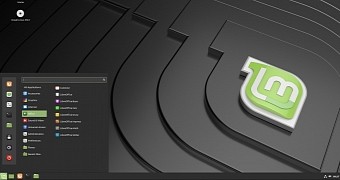
Earlier this week, the leader of the Linux Mint project, Clement Lefebvre, revealed the fact that the Linux Mint 19.2 "Tina" operating system will be officially released later in the week for all supported flavors, including Cinnamon, MATE, and Xfce.

Now, it looks like the final ISO images of Linux Mint 19.2 were pushed to the main download server, so you can grab them right now and install the operating system on your personal computer if you don't want to wait for the official announcement later this week.

Read more

Linux Mint 19.2 is Now Available to Download

  • Linux Mint 19.2 is Now Available to Download

    The final stable release of Linux Mint 19.2 is now available to download.

    Don’t get too excited; it not “officially” out yet, which is why the title of this post doesn’t say Linux Mint 1.92 has been released.

    But the blessed, finalised release .iso has been approved for release and is up on the Linux Mint servers and release mirrors, where the impatient can grab a copy.

    Do note that you won’t be able to upgrade to Linux Mint 19.2 from an earlier release until the release has been officially announced. You won’t have to wait too long: it’s due by the end of this week.

Linux Mint 19.2 “Tina” now available for download

Now it's official: Linux Mint 19.2

  • Linux Mint 19.2 now officially available across multiple desktop flavours

    It's distribution release day! At least for Linux Mint anyway, with Linux Mint 19.2 now officially available across multiple desktop flavours.

    A pretty good choice for those new to Linux and wanting to dip their toes into some Linux gaming, this brand new distribution release comes with numerous new features and enhancements. Their main and most supported desktop is Cinnamon, with both MATE and Xfce spins also available for Mint 19.2.

Screencast of the New Mint and Press/Blog Coverage

  • What's new in Linux Mint 19.2

    In this video, we look at what's new in Linux Mint 19.2.

  • Linux Mint 19.2 "Tina" Officially Released, Here's What's New

    The Linux Mint project released today the Linux Mint 19.2 "Tina" operating system, which is now available for download as Cinnamon, MATE, and Xfce editions.

    Coming seven months after the Linux Mint 19.1 "Tessa" release, Linux Mint 19.2 "Tina" is the second major release in the Linux Mint 19 operating system series, based on Canonical's long-term supported Ubuntu 18.04 LTS (Bionic Beaver) operating system series, which will be supported for five years until 2023.

    "Linux Mint 19.2 is a long term support release which will be supported until 2023. It comes with updated software and brings refinements and many new features to make your desktop experience more comfortable," said Clement Lefebvre, Linux Mint project leader and lead developer.

  • Linux Mint 19.2 Officially Released

    Linux Mint 19.2 "Tina" is now officially available in its Cinnamon, MATE, and Xfce flavors while continuing to be powered off the Ubuntu 18.04 LTS base.

    Linux Mint 19.2 provides the latest stable release updates on Ubuntu 18.04 LTS plus offers a number of updates to the distribution's own utilities and other packages. One of the big improvements is Mint's update manager now showing supported kernel options and all-around a better experience for managing the installed kernel(s) on the system.

  • Ubuntu-Based Linux Mint 19.2 'Tina' is Here with Cinnamon, MATE, and Xfce

    The Linux Mint project today released the Linux Mint 19.2 "Tina", which is now available for download as Cinnamon, MATE, and Xfce editions.

  • Ubuntu-based Linux Mint 19.2 'Tina' is here with Cinnamon, MATE, and Xfce

    As usual, three desktop environments are available -- Cinnamon (4.2), MATE (1.22), and Xfce (4.12). If your computer is fairly modern, take my advice and opt for the excellent Cinnamon. MATE and Xfce are solid choices too, although they are more appropriate for computers with meager hardware. For new users, choosing amongst three interfaces can be confusing -- thankfully, the Mint developers stopped using KDE almost two years ago.

    Linux Mint 19.2 "Tina" is based on the wildly popular Ubuntu operating system, but on 18.04 rather than the new 19.04. Why use an older version of Ubuntu as a base? Because 18.04 is an LTS or "Long Term Support" variant. While version 19.04 will be supported for less than a year, 18.04 is being supported for a mind-boggling 10 years!

Three official release posts from Linux Mint team

How to upgrade to Linux Mint 19.2

  • How to upgrade to Linux Mint 19.2

    It is now possible to upgrade Linux Mint 19 (or 19.1) to version 19.2.

    If you’ve been waiting for this we’d like to thank you for your patience.

Mint Coverage From Sohail and SJVN

  • Linux Mint 19.2 “Tina” Released

    Open the preferences window from the update manager and open the blacklist tab. Click the add button and fill in the package name that you want to target and the specific version that you do not want the operating system to update this package to. Hit “OK” and it’ll not update the package to the selected version.

    This option lets stay safe from a specific version that you know will break your system. However, this feature will only block the update to the specific version you’ve selected. In case a later version is released, the update manager will download and install the package updates.

    You can also blacklist a specific version from the update manager by right-clicking the update package and blacklist it. This way of blacking a version update is easy and a recommended one.

  • New long-term support version of Linux Mint desktop released

    With more work than ever going into making the Linux desktop great for all users and gaming, it only seems appropriate that Mint is releasing its latest long-term support of its flagship operating system: Linux Mint 19.2, Lisa.

    This is important because, as I've said before after looking at many Linux desktops year in and out, Linux Mint is the best of the breed. It's easy to learn (even if you've never used Linux before), powerful, and with its traditional windows, icons, menus, and pointers (WIMP) interface, it's simple to use.

    As before, Linux Mint will run on pretty much any PC in your home, office, or junk closet. It only needs 2GB of RAM, but it can run with as little as 1GB. Sorry, Bill, 640K is not enough. You'll also need at least 15GB of disk space, but 20GB recommended. Finally, you'll need a graphics card and monitor that supports a 1024×768 resolution. I can find that kind of hardware at my local second-hand store.

Coverage by Martin Brinkmann

  • Linux Mint 19.2 is out

    The Linux Mint team released a new version of the Linux distribution on August 2, 2019. Linux Mint 19.2 is already available in the three supported flavors Cinnamon, MATE, and Xfce.

    The new version is a long-term service release; it will be supported until 2023 and is already available on the official website of the project. 32-bit and 64-bit versions of Linux Mint 19.2 Cinnamon, MATE, and Xfce are provided. The release follows Linux Mint 19.1 and Linux Mint 19.0 which we reviewed here.

    Highlights of the release are reduced RAM usage, and Update Manager and Software Manager improvements.

    Check out our guide on upgrading Linux Mint if you don't know how to upgrade from an earlier version of the Linux distribution.

Neowin's coverage

  • Linux Mint 19.2 released to the general public

    Following a two-week beta phase, the team behind Linux Mint has announced the final release of Linux Mint 19.2. Three editions of the release are available and include the Cinnamon desktop, MATE desktop, and the Xfce desktop. Cinnamon is the main edition while Xfce is oriented toward less powerful computers. MATE is good for those people who prefer the more traditional GNOME 2 experience.

    The Cinnamon edition ships with Cinnamon 4.2 which comes with better performance, improved handling of Flatpaks in menus, updated scroll bar settings, better Samba support, and file pinning. The MATE edition comes with MATE 1.22 which brings improved stability and bug fixes, support for metacity-3 themes, better systemd support, desktop notifications for long-running file operations, and a handful of other small tweaks that add a bit of polish to the desktop experience. The Xfce edition ships with Xfce 4.12 which is the same as what shipped in Linux Mint 19.1 so you shouldn’t see much difference with this edition.

How to upgrade from Linux Mint 19.1 to 19.2

Linux Mint 19.2 “Tina” Has been Released

  • Linux Mint 19.2 “Tina” Has been Released, Check What’s New Feature

    The Linux Mint team is announced the second major release of Linux Mint 19.2 “Tina” in the Linux Mint 19 series on 2nd Aug, 2019.

    Linux Mint 19.2 is a long term support release which is based on Ubuntu 18.04 LTS (Bionic Beaver).

    It will be supported until 2023. It comes with updated software and brings refinements and many new features to make your desktop even more comfortable to use.

Get to know how to install Linux Mint 19.2

Want to test a Windows 10 alternative?

  • Want to test a Windows 10 alternative? Here's how to install Linux Mint 19.2

    Once you’re settled on which edition you want, you’ll need to pick an architecture: 32-bit or 64-bit. Most people should opt for the 64-bit edition on computers manufactured after 2007, however, if it doesn’t boot or you know your computer doesn’t support 64-bit operating systems then download the 32-bit version.

    Once you’ve made a decision head over to the Linux Mint download page and select the version you want. It’s recommended that you download your ISO image as a torrent because this will verify the integrity of the file on the fly giving you added security. Note that downloading Linux Mint as a torrent is perfectly legal anywhere in the world, although torrenting has a bit of stigma due to piracy, you’re only breaking the law when you download copyrighted material that was not intended to be shared via torrents so Linux Mint is fine to torrent. If you’d rather download it directly from a mirror there are also lots of sources to choose from but you'll have to verify the downloaded file manually.

Linux Mint 19.2 “Tina” Released: Here's What's New

  • Linux Mint 19.2 “Tina” Released: Here's What's New and How to Get it

    Recently, the Linux Mint team announced the release of Linux Mint 19 Cinnamon with significant improvements and feature additions. I’ll show you some of the main features of the new release and how to upgrade to it.

    What matters the most is that Linux Mint 19.2 is also a Long Term Support release which will be supported till 2023. The new version includes updated software and lot of improvements along with added features.

    What are the key highlights among the added features? Let us take a look.

Fossbytes a week behind the news about Linux Mint

  • Linux Mint 19.2 ‘Tina’ Released: A Polished And Free Windows Alternative

    With each passing year, the Linux desktops are becoming more complete than ever. Multiple Linux distros are now known to offer a much better gaming experience and high-definition display performance. Pop!_OS, Manjaro, and Zorin OS are some of the notable examples.

    Over the course of last decade, Linux Mint has been able to establish itself as a user-friendly Linux distro that can be used as a replacement for Windows and macOS. Just recently, the Mint development team released Linux Mint 19.2 ‘Tina.’ As it’s a long term release that’ll remain supported until 2023, you don’t have to worry about running an insecure system that doesn’t get updates.

Early video review

Linux Mint 19.1 Users Can Now Upgrade to Linux Mint 19.2 "Tina,"

  • Linux Mint 19.1 Users Can Now Upgrade to Linux Mint 19.2 "Tina," Here's How

    Released last week, the Linux Mint 19.2 "Tina" operating system is based on Canonical's long-term supported Ubuntu 18.04 LTS (Bionic Beaver) operating system series and ships with up-to-date components and apps, including the latest Cinnamon 4.2, MATE 1.20, and Xfce 4.2 desktop environments.

    Linux Mint 19.1 "Tessa" has been on the market for the past seven months, so it is time to upgrade it and enjoy all the latest GNU/Linux technologies and Open Source applications. Some will choose to reinstall their computers as a fresh install is always recommended, but many will want to upgrade as it's painless.

Linux Mint 19.2 "Cinnamon" overview | Sleek, modern, innovative

Linux Mint 19.2 released, here is how to upgrade

Comment viewing options

Select your preferred way to display the comments and click "Save settings" to activate your changes.

More in Tux Machines

digiKam 7.7.0 is released

After three months of active maintenance and another bug triage, the digiKam team is proud to present version 7.7.0 of its open source digital photo manager. See below the list of most important features coming with this release. Read more

Dilution and Misuse of the "Linux" Brand

Samsung, Red Hat to Work on Linux Drivers for Future Tech

The metaverse is expected to uproot system design as we know it, and Samsung is one of many hardware vendors re-imagining data center infrastructure in preparation for a parallel 3D world. Samsung is working on new memory technologies that provide faster bandwidth inside hardware for data to travel between CPUs, storage and other computing resources. The company also announced it was partnering with Red Hat to ensure these technologies have Linux compatibility. Read more

today's howtos

  • How to install go1.19beta on Ubuntu 22.04 – NextGenTips

    In this tutorial, we are going to explore how to install go on Ubuntu 22.04 Golang is an open-source programming language that is easy to learn and use. It is built-in concurrency and has a robust standard library. It is reliable, builds fast, and efficient software that scales fast. Its concurrency mechanisms make it easy to write programs that get the most out of multicore and networked machines, while its novel-type systems enable flexible and modular program constructions. Go compiles quickly to machine code and has the convenience of garbage collection and the power of run-time reflection. In this guide, we are going to learn how to install golang 1.19beta on Ubuntu 22.04. Go 1.19beta1 is not yet released. There is so much work in progress with all the documentation.

  • molecule test: failed to connect to bus in systemd container - openQA bites

    Ansible Molecule is a project to help you test your ansible roles. I’m using molecule for automatically testing the ansible roles of geekoops.

  • How To Install MongoDB on AlmaLinux 9 - idroot

    In this tutorial, we will show you how to install MongoDB on AlmaLinux 9. For those of you who didn’t know, MongoDB is a high-performance, highly scalable document-oriented NoSQL database. Unlike in SQL databases where data is stored in rows and columns inside tables, in MongoDB, data is structured in JSON-like format inside records which are referred to as documents. The open-source attribute of MongoDB as a database software makes it an ideal candidate for almost any database-related project. This article assumes you have at least basic knowledge of Linux, know how to use the shell, and most importantly, you host your site on your own VPS. The installation is quite simple and assumes you are running in the root account, if not you may need to add ‘sudo‘ to the commands to get root privileges. I will show you the step-by-step installation of the MongoDB NoSQL database on AlmaLinux 9. You can follow the same instructions for CentOS and Rocky Linux.

  • An introduction (and how-to) to Plugin Loader for the Steam Deck. - Invidious
  • Self-host a Ghost Blog With Traefik

    Ghost is a very popular open-source content management system. Started as an alternative to WordPress and it went on to become an alternative to Substack by focusing on membership and newsletter. The creators of Ghost offer managed Pro hosting but it may not fit everyone's budget. Alternatively, you can self-host it on your own cloud servers. On Linux handbook, we already have a guide on deploying Ghost with Docker in a reverse proxy setup. Instead of Ngnix reverse proxy, you can also use another software called Traefik with Docker. It is a popular open-source cloud-native application proxy, API Gateway, Edge-router, and more. I use Traefik to secure my websites using an SSL certificate obtained from Let's Encrypt. Once deployed, Traefik can automatically manage your certificates and their renewals. In this tutorial, I'll share the necessary steps for deploying a Ghost blog with Docker and Traefik.