



today's leftovers
Submitted by Roy Schestowitz on Monday 1st of August 2022 11:51:12 AM
Filed under

-
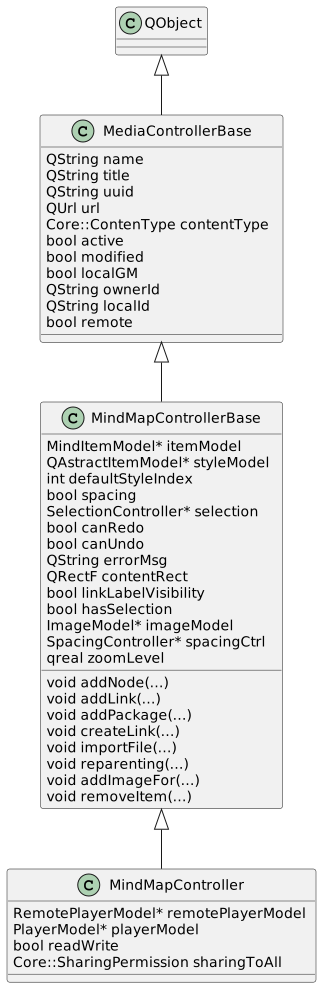
Rolisteam - July 2022 - Monthly update #2
As you may know, rolisteam is now part of KDE. We are trying to enjoy that new status. One way to do it, it’s to change the way rolisteam is translated. The KDE project has huge translation team and they are really efficient.
-
Unvanquished 0.53 Beta, what a milestone! - Unvanquished
We are pleased to announce the 2nd Beta release of Unvanquished, a First Person Shooter featuring the ability to build and two factions with radically different abilities: humans who master technology versus aliens and their many specialized evolutions.
-
Deco IDE: The Open-source Free React IDE for macOS, Linux, and macOS
Deco IDE is a free open-source IDE for React that allows developers to visually code, edit and build their React apps in a visual manner.
It has been around for some time now, and it has many devoted users who are still using it, even though it did not receive any updates since 2016.
-
Efficient Infrastructure Testing | Pen Test Partners
Before we start let’s set the scene regarding vulnerability assessment. It is imperative that enterprises conduct their own continuous automated scanning, to have up-to-date assessments of threats that their networks may be susceptible to. Infrastructure penetration testing (discussed in this blog post) should be then used to delve further to expose issues and attack chains using manual testing that would have not been uncovered by automated techniques.
To go one step further, mature environments with well-formed patch management policies and good security practice, should then consider Red Team engagements to assess response and detection against emulated real-world adversaries.
On several infrastructure tests I’ve found myself performing vulnerability assessments on expansive networks. While Nessus and other scanning tools have their place, it is crucial to be able to work efficiently to provide much more value on an engagement rather than providing tool output that clients can run themselves (and should be doing, regularly).
-
blog.ipfire.org - Celebrating 10 Years of Lightning Wire Labs (10% Off All Appliances)
We are celebrating 10 years of Lightning Wire Labs!
A whole decade where we have been working to make the Internet a safer place. Time that has been moving fast, has been full of challenges, as well as a time that has been a great success for ourselves, and our customers and partners we work with.
»
-

- Login or register to post comments
 Printer-friendly version
- 701 reads
 PDF version
More in Tux Machines
- Highlights
- Front Page
- Latest Headlines
- Archive
- Recent comments
- All-Time Popular Stories
- Hot Topics
- New Members
today's howtos
| Open Hardware: XON/XOFF and Raspberry Pi Pico
|
Security Leftovers
| How to Apply Accent Colour in Ubuntu Desktop
A step-by-step tutorial on how to apply accent colour in Ubuntu desktop (GNOME) with tips for Kubuntu and others.
|



 This section of TuxMachines will no longer have new stories in it (with some caveats, including this post). To see the latest stories go to


.svg_.png)

 Content (where original) is available under CC-BY-SA, copyrighted by original author/s.



Recent comments
2 days 7 hours ago
2 days 11 hours ago
2 days 11 hours ago
3 days 18 hours ago
3 days 19 hours ago
3 days 20 hours ago
3 days 20 hours ago
3 days 21 hours ago
3 days 23 hours ago
4 days 1 hour ago