



CrowPi L Review - Part 2: Learn programming and electronics with a Raspberry Pi 4 laptop
Submitted by Rianne Schestowitz on Thursday 11th of August 2022 11:44:52 AM
Filed under



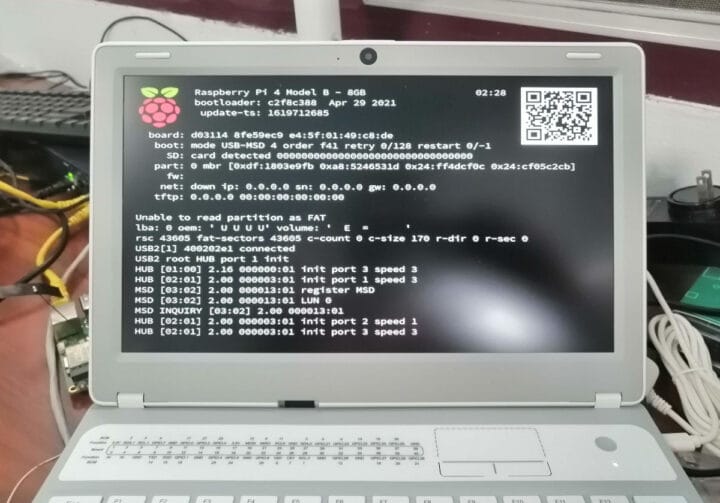
In the first part of our review of CrowPi L Raspberry Pi 4 laptop for education, we checked the hardware and accessories such as the CrowTail starter kit with various sensors and other electronics modules, and showed how to install or remove the Raspberry Pi 4 SBC from the laptop shell.
I’ve now had more time to play with the educational software, so I’ll report my experience with the laptop when learning game design and hardware control with Letscode visual programming IDE, as well as the Python lessons for more advanced students.

»
-

- Login or register to post comments
 Printer-friendly version
- 404 reads
 PDF version
More in Tux Machines
- Highlights
- Front Page
- Latest Headlines
- Archive
- Recent comments
- All-Time Popular Stories
- Hot Topics
- New Members
today's howtos
| Open Hardware: XON/XOFF and Raspberry Pi Pico
|
Security Leftovers
| How to Apply Accent Colour in Ubuntu Desktop
A step-by-step tutorial on how to apply accent colour in Ubuntu desktop (GNOME) with tips for Kubuntu and others.
|


 This section of TuxMachines will no longer have new stories in it (with some caveats, including this post). To see the latest stories go to


.svg_.png)

 Content (where original) is available under CC-BY-SA, copyrighted by original author/s.



Recent comments
2 days 9 hours ago
2 days 13 hours ago
2 days 13 hours ago
3 days 20 hours ago
3 days 21 hours ago
3 days 22 hours ago
3 days 22 hours ago
3 days 23 hours ago
4 days 1 hour ago
4 days 3 hours ago