Language Selection

English French German Italian Portuguese Spanish

On GNOME advocacy

Filed under
GNU
Linux
GNOME

The odd things for me, having tried more or less every single Linux desktop under the sun, including several that no longer exist, is that there's no one definition of "user friendly" that holds true for everyone.

In this story's comments, there are people saying Windows is the best, others saying certain particular versions are best, others saying they find it unusable or at least hard.

Yet this has been the best-selling desktop OS in history for about 35 years now, used by _billions_ of people, so it must be getting *something* right.

Counter to that, there are also people castigating Macs and macOS. That's normal; there are as many biased fanboys *against* as there are *for*.

And yet, again, for nearly 40 years now, Apple has been *THE ONE COMPANY* to resist the rise of Microsoft, and has a fantastically loyal fan base and makes a lot of money.

I also have a number of blind friends, and they mostly tell me that Windows is the most accessible OS there is, that it has the best selection of assistive tech, that the apps are more accessible, and so on.

Some favour macOS. What macOS provides out of the box is *way* better, it's true. If you're a casual computer user -- bit of surfing, bit of online chat, very occasionally write a letter -- it's better for blind users than Windows.

If you have a job to do, in business, and need rich powerful apps, and need them to be accessible, my working blind mates tell me Windows easily trounces the Mac.

I am not blind so I must take their word for it.

But I can make Windows and macOS and my preferred Linux desktops, Unity and Xfce, stand on their heads and do back handsprings for me. I regularly read people telling me that any of these OSes just can't do X or can't do Y, when X and Y are things I do on a daily basis.

What this really means is: they don't know how to do X or Y, and they haven't bothered to look for instructions or guidance. It doesn't do it -- whatever "it" is, it varies a lot -- and so they decide it can't, it doesn't work, and they move on.

Read more

More in Tux Machines

today's howtos

  • How to Change Comment Color in Vim – Fix Unreadable Blue Color

    Are you annoyed about the comment color in vim? The dark blue color of the comment is often hard to read. In this tutorial, we learn how to change the comment color in Vim. There are few methods we can use to look vim comment very readable.

  • How to Add Repository to Debian

    APT checks the health of all the packages, and dependencies of the package before installing it. APT fetches packages from one or more repositories. A repository (package source) is basically a network server. The term "package" refers to an individual file with a .deb extension that contains either all or part of an application. The normal installation comes with default repositories configured, but these contain only a few packages out of an ocean of free software available. In this tutorial, we learn how to add the package repository to Debian.

  • Making a Video of a Single Window

    I recently wanted to send someone a video of a program doing some interesting things in a single X11 window. Recording the whole desktop is easy (some readers may remember my post on Aeschylus which does just that) but it will include irrelevant (and possibly unwanted) parts of the screen, leading to unnecessarily large files. I couldn't immediately find a tool which did what I wanted on OpenBSD [1] but through a combination of xwininfo, FFmpeg, and hk I was able to put together exactly what I needed in short order. Even better, I was able to easily post-process the video to shrink its file size, speed it up, and contort it to the dimension requirements of various platforms. Here's a video straight out of the little script I put together: [...]

  • Things You Can And Can’t Do

    And it got me thinking about what you can and can’t do — what you do and don’t have control over.

  • allow-new-zones in BIND 9.16 on CentOS 8 Stream under SELinux

    We run these training systems with SELinux enabled (I wouldn’t, but my colleague likes it :-), and that’s the reason I aborted the lab: I couldn’t tell students how to solve the cause other than by disabling SELinux entirely, but there wasn’t enough time for that.

  • Will the IndieWeb Ever Become Mainstream?

    This is an interesting question, thanks for asking it, Jeremy. I do have some history with the IndieWeb, and some opinions, so let’s dive in.

    The short answer to the question is a resounding no, and it all boils down to the fact that the IndieWeb is really complicated to implement, so it will only ever appeal to developers.

  • How to Install CUPS Print Server on Ubuntu 22.04

    If your business has multiple personal computers in the network which need to print, then we need a device called a print server. Print server act intermediate between PC and printers which accept print jobs from PC and send them to respective printers. CUPS is the primary mechanism in the Unix-like operating system for printing and print services. It can allow a computer to act as a Print server. In this tutorial, we learn how to set up CUPS print server on Ubuntu 22.04.

Open Hardware: XON/XOFF and Raspberry Pi Pico

  • From XON/XOFF to Forward Incremental Search

    In the olden days of computing, software flow control with control codes XON and XOFF was a necessary feature that dumb terminals needed to support. When a terminal received more data than it could display, there needed to be a way for the terminal to tell the remote host to pause sending more data. The control code 19 was chosen for this. The control code 17 was chosen to tell the remote host to resume transmission of data.

  • Raspberry Pi Pico Used in Plug and Play System Monitor | Tom's Hardware

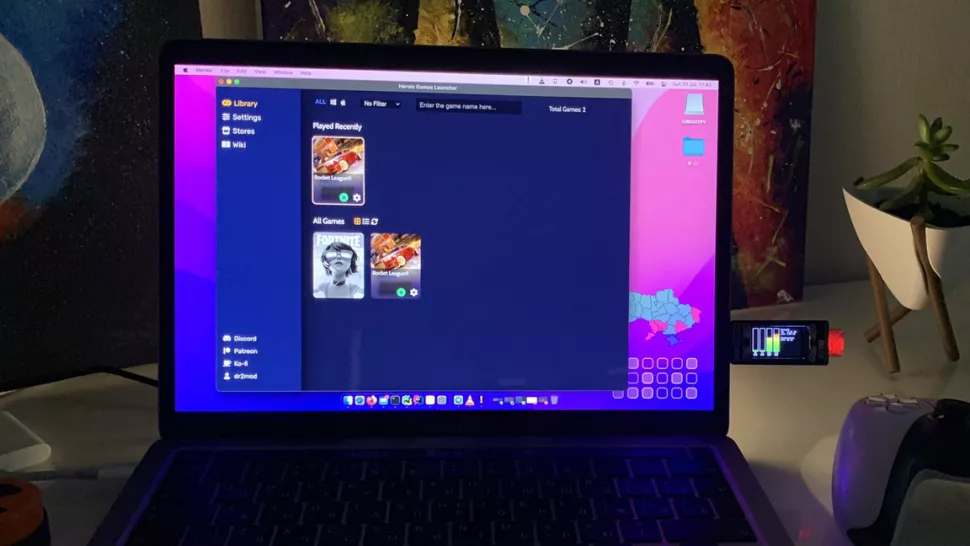
    Dmytro Panin is at it again, creating a teeny system monitor for his MacBook from scratch with help from our favorite microcontroller, the Raspberry Pi Pico. This plug-and-play system monitor (opens in new tab) lets him keep a close eye on resource usage without having to close any windows or launch any third-party programs. The device is Pico-powered and plugs right into the MacBook to function. It has a display screen that showcases a custom GUI featuring four bar graphs that update in real-time to show the performance of different components, including the CPU, GPU, memory, and SSD usage. It makes it possible to see how hard your PC is running at a glance.

Security Leftovers

How to Apply Accent Colour in Ubuntu Desktop

A step-by-step tutorial on how to apply accent colour in Ubuntu desktop (GNOME) with tips for Kubuntu and others. Read more