



Programming Leftovers
Submitted by Roy Schestowitz on Friday 22nd of July 2022 09:13:41 AM
Filed under

-
Terraform Variables
-
Redis PTTL
-
R – Vector Operations
-
Quick Sort VS Merge Sort Compared
-
Quick Sort in C
-
lstat() Function in C
-
Open 2 C Function
-
Opendir 3 C Function
-
PHP Array_Change_Key_Case() Function
-
PHP Array_Column() Function
-
PHP Array_Combine() Function
-
How to Perform Aggregation Operation with Groupby() Mean
-
How to Perform Aggregation Operation with Groupby() Sum
-
How to Perform Aggregation Operation with Groupby() Median
-
Create conditional pipelines with CEL
You just followed a guide to start your Tekton pipeline (or task) when a merge request is created or updated on your GitLab project. So you configured GitLab to send merge request events as webhooks. And you deployed some Tekton components:
Then you notice that any event in your merge request (a new comment, a tag change) triggers the pipeline. That's not the behavior you desire. You don't need to build a comment or a tag, after all. You only want the pipeline to run when there is actual new code to build. Here's how I use Tekton's CEL Interceptor to create conditionals for my pipelines.
-
Playing with Common Expression Language
Common Expression Language (CEL) is an expression language created by Google. It allows to define constraints that can be used to validate input data.
-
This Week In Rust: This Week in Rust 452
-
Use of PERL Array
“The array variable is used in any programming language to store multiple data. The PERL array can contain different types of data such as numbers, strings, Boolean, etc. The “@” symbol is used to declare an array in PERL, and the “$” symbol is used to read the value of the particular array index. The command-line argument values are stored in the PERL array named @ARGV. The uses of the PERL array of the numeric index have been shown in this tutorial.”
-
Use of “if” Statement in PERL
“Sometimes, it requires executing one or more statements based on a particular condition. This problem can be solved by using the “if” statement. It is a very useful statement for any programming language. The ways of using different types of “if” statements in the PERL script have been shown in this tutorial.”
-
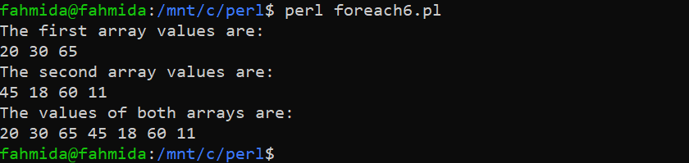
Use of foreach loop in PERL
“The loop is used to iterate some statements multiple times. The foreach loop is one of the useful loops of PERL. This loop is mainly used for iterating the array of values that contains the list of data. It can be used for other purposes also, such as reading file content, controlling the iteration using different keywords, etc. Different uses of the foreach loop have been shown in this tutorial.”
-
Count the Array Length in PERL
“The length of an array indicates the number of elements of the particular array. Many ways exist in PERL to calculate the array length. When the length of the array is calculated by using the “@” symbol, then it is called an implicit scalar conversion. When the length of the array is calculated by using the scalar keyword, then it is called an explicit scalar conversion. The “#” symbol can also be used to count the length of the array. Different ways of counting the array length and using it in the PERL scripts have been shown in this tutorial.
Different ways of counting the array length have been described in the next part of this tutorial by using examples.”
-
The Perl Advent Calendar 2022 Call for Papers Is Now Open - olafalders.com
In the year 2000, the world was a different place. Y2K was still fresh in our memories, many of us had just partied like it was 1999 and Mark Fowler had given up eating chocolate.
Even though there would be no chocolate in the near term, Mark still wanted to enjoy opening 24 to 25 new doors in December. And so the The Perl Advent Calendar was born. You may be surprised to know that the first post, from Dec 1, 2000, wasn’t a whimsical blog post about Santa, elves and reindeer, but rather just the documentation for Data::Dumper.
»
-

- Login or register to post comments
 Printer-friendly version
- 1276 reads
 PDF version
More in Tux Machines
- Highlights
- Front Page
- Latest Headlines
- Archive
- Recent comments
- All-Time Popular Stories
- Hot Topics
- New Members
today's howtos
| Open Hardware: XON/XOFF and Raspberry Pi Pico
|
Security Leftovers
| How to Apply Accent Colour in Ubuntu Desktop
A step-by-step tutorial on how to apply accent colour in Ubuntu desktop (GNOME) with tips for Kubuntu and others.
|



 This section of TuxMachines will no longer have new stories in it (with some caveats, including this post). To see the latest stories go to


 Content (where original) is available under CC-BY-SA, copyrighted by original author/s.



Recent comments
2 days 5 hours ago
2 days 9 hours ago
2 days 9 hours ago
3 days 16 hours ago
3 days 17 hours ago
3 days 18 hours ago
3 days 18 hours ago
3 days 19 hours ago
3 days 21 hours ago
3 days 23 hours ago