



today's howtos
Submitted by Roy Schestowitz on Tuesday 19th of July 2022 11:22:58 PM
Filed under

-
How to play Assassin’s Creed Odyssey on Linux
Assassin’s Creed Odyssey is an action RPG developed by Ubisoft Quebec and published by Ubisoft. Here’s how you can play Assassin’s Creed Odyssey on your Linux PC.
-
How to automate graphics production with Inkscape – Máirín Duffy
I recorded a 15-minute long tutorial demonstrating how to automate the production of graphics from a CSV file or spreadsheet (basically a mailmerge type deal for graphics) in Inkscape, using the Next Generator Inkscape extension from Maren Hachmann.You can watch it below embedded from the Fedora Design Team Linux Rocks PeerTube channel, or on YouTube. (PeerTube is open source so I prefer it!)
Below I will provide some context for how this tutorial is useful / what you can use it for, and a very high-level summary of the content in the video in case you’d rather skim text and not watch a video.
-
How to Manage Users and Groups on Ubuntu 22.04 – LinuxWizardry
Linux is a multi-user and multi-tasking operating system. User and group management are the two most important tasks to be performed by Linux administrators.
In Linux, each user has their own login name and a home directory. Every user belongs to a primary group, and users can be added to multiple secondary groups. All users in the group will have the same group permission on files and folders. This makes it easier to provide permission for multiple users.
This tutorial will demonstrate how to manage users and groups in the Linux system.
-
How to install EarthRoyale on a Chromebook
Today we are looking at how to install EarthRoyale on a Chromebook. Please follow the video/audio guide as a tutorial where we explain the process step by step and use the commands below.
If you have any questions, please contact us via a YouTube comment and we would be happy to assist you!
-
How to install Pinta on Pop!_OS 22.04 - Invidious
In this video, we are looking at how to install Pinta on Pop!_OS 22.04.
-
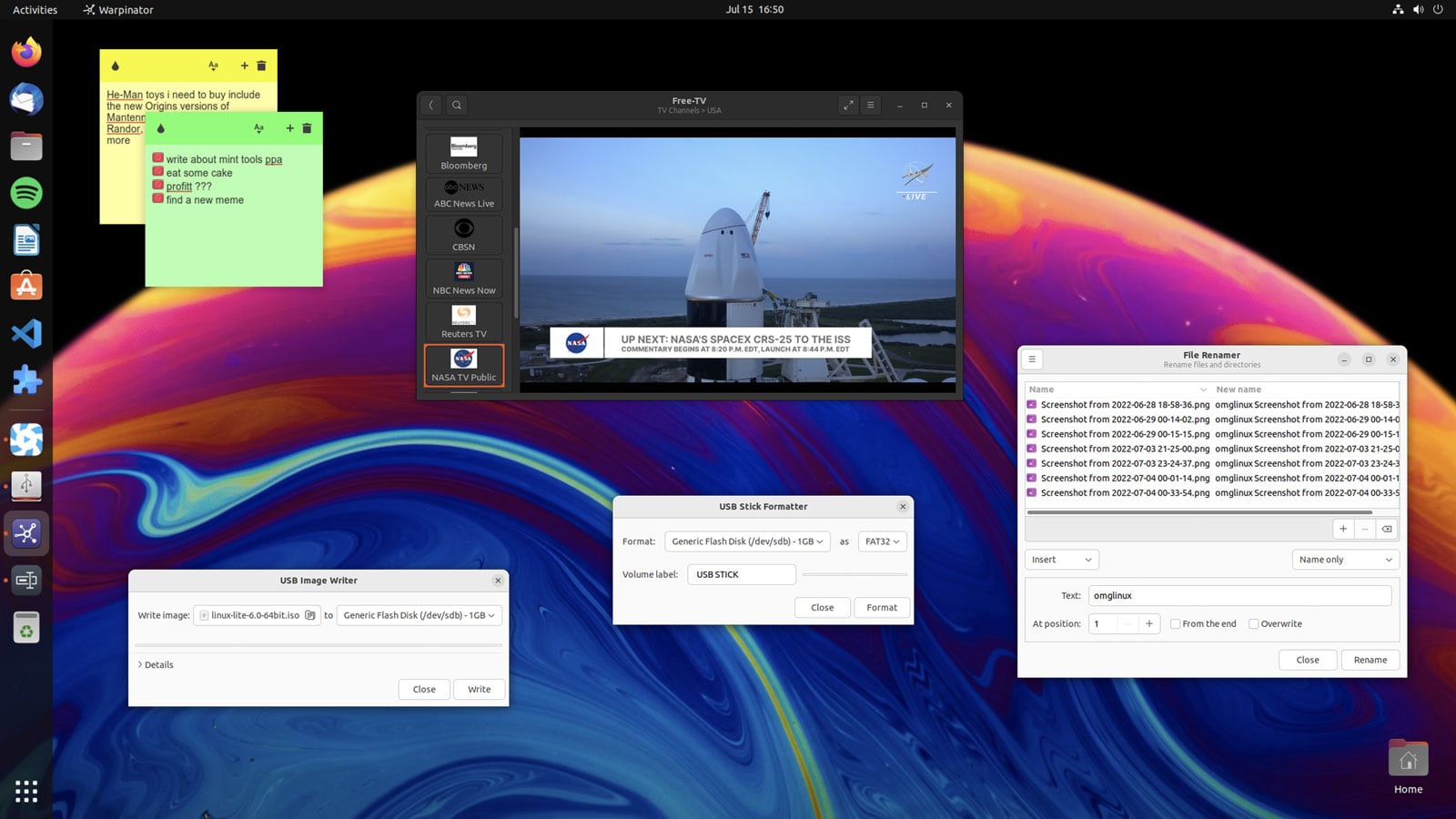
How to Install Linux Mint's Homespun Apps on Ubuntu - OMG! Ubuntu!
Linux Mint is far more than just the Cinnamon desktop with a bit of green sprinkled on top. It also includes a number of homegrown apps crafted by Mint developers to enhance the overall experience.
Nemo file manager is probably the best known tool in Mint’s software stable (as it’s available to install from the Ubuntu archives). But other useful tools include Bulky, Warpinator, and Hypnotix. These are well-designed, user-friendly apps ably tailored to their respective tasks but are not available in the regular Ubuntu repos.
The good news is that you don’t have to switch to Linux Mint to use some or even all of these apps. The beauty of open-source software (especially Mint’s, which is engineered to be distro-agnostic) is that you can install (almost) anything wherever you like.
So if you want to install Linux Mint’s apps on Ubuntu, you can!
»
-

- Login or register to post comments
 Printer-friendly version
- 906 reads
 PDF version
More in Tux Machines
- Highlights
- Front Page
- Latest Headlines
- Archive
- Recent comments
- All-Time Popular Stories
- Hot Topics
- New Members
today's howtos
| Open Hardware: XON/XOFF and Raspberry Pi Pico
|
Security Leftovers
| How to Apply Accent Colour in Ubuntu Desktop
A step-by-step tutorial on how to apply accent colour in Ubuntu desktop (GNOME) with tips for Kubuntu and others.
|



 This section of TuxMachines will no longer have new stories in it (with some caveats, including this post). To see the latest stories go to


 Content (where original) is available under CC-BY-SA, copyrighted by original author/s.



Recent comments
2 days 4 hours ago
2 days 8 hours ago
2 days 8 hours ago
3 days 15 hours ago
3 days 16 hours ago
3 days 17 hours ago
3 days 17 hours ago
3 days 17 hours ago
3 days 20 hours ago
3 days 21 hours ago