



today's howtos
Submitted by Roy Schestowitz on Sunday 24th of April 2022 12:25:57 PM
Filed under 
-
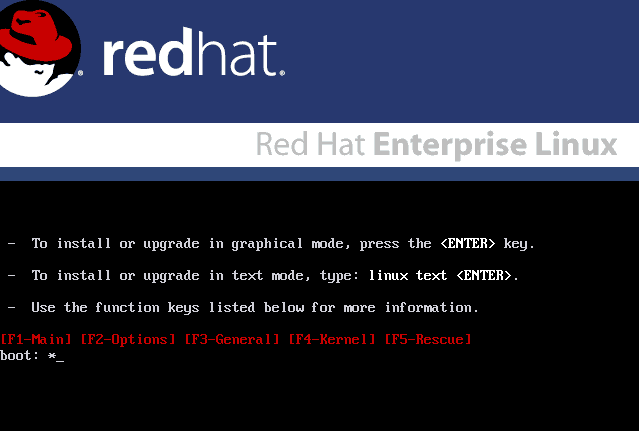
Unsupported upgrade for RHEL-based distributions without reinstallation
Most systems, based on RHEL, were not able to upgrade without reinstallation, or best said, not supported. The new version, that was released at around 18 months later contained so many changes that it was hard to test the upgrades themselves until leapp was introduced.
-
Removing ^M Characters
The universe sent you here so I can help you. You’re welcome.
-
How To Install Postman on CentOS & RHEL
Postman is an API platform for building and using APIs. Postman simplifies each step of the API lifecycle and streamlines collaboration so you can create better APIs—faster. So, this app is basically used for creating, testing, and managing the APIs(Application Programming Interface).
-
Install GitLab on CentOS 8 Stream
GitLab is an open source git based platform. It is used for software development and collaboration and also used as a repository manager. GitLab has features like CI/CD, Auto devops and kubernetes integration which makes it a go to platform for Code management and DevOps purposes. It can also integrates with other open source platforms like Jenkins. In this tutorial we will learn how to Install GitLab on CentOS 8 Stream.
-
Configuring Network on FreeBSD
One thing I love about FreeBSD is the feeling of completeness I get when using it. On FreeBSD, the kernel and the core utilities that come installed as base are all maintained by the FreeBSD team. Consequently, if the kernel requires or deprecates certain features, then the base utilities can adjust accordingly. For this reason, the sysadmins don’t have to worry about any compatibility issues.
On Linux, it was almost a standard to use ifconfig for managing network interfaces. Nevertheless, development of the Linux kernel continued. And, ifconfig couldn’t provide enough features and flexibility. Predictably, this made a new utility called ip to replace the old ifconfig command. Now, the system admins have to learn yet another tool (as if we hadn’t learned enough).
-
How to install RackTable on Ubuntu/Debian Servers
Racktables is a robust and a nifty solution for datacenter and server room asset management. It is a helpful tool that can be used to manage document hardware assets, network addresses, space in racks, network configuration. It has a simple WebGUI and it’s very easy to install. It uses MySQL/MariaDB as database backend and its based on PHP. It can also run on older versions of distributions :
-
Install a ls command that shows file icons
There are several alternatives to the ls command, some of them you can find in this article .
And today we are going to get to know a new alternative that is written in Golang and its differential in relation to GNU Coreutils ls is that in addition to listing the files, it also displays the icons according to the mime-type .
-
How to Install GPU-Viewer on Ubuntu 22.04 LTS - LinuxCapable
The GPU-Viewer is a free, open-source project to create an easy-to-use interface for glxinfo, vulkaninfo, and clinfo. The program will be developed using Python 3 with GTK3 to display all the crucial details extracted from these programs on one page alongside other valuable tools like grep or AWK.
In the following tutorial, you will learn how to install the latest GPU-Viewer on Ubuntu 22.04 LTS Jammy Jellyfish with a third-party PPA from LaunchPAD using the command line terminal.
-
How to Install Pluma Text Editor on Ubuntu 22.04 LTS - LinuxCapable
Pluma is an application that supports editing multiple text files in one window (tabs or MDI). It fully utilizes the Unicode UTF-8 encoding for international characters, making it easy to work with diverse languages. As a general-purpose editor focused on simplicity and ease of use, plumes support most standard features you would find within other programs, such as Highlands’ advanced word processing tools, which are available through their simple user interface.
In the following tutorial, you will learn how to install Pluma Text Editor on Ubuntu 22.04 LTS Jammy Jellyfish using the command line terminal for an alternative text editor or those familiar with MATE desktop applications.
-
How to Install OpenRGB on Ubuntu 22.04 LTS - LinuxCapable
OpenRGB is free and open-source software used to control RGB lighting control that does not require manufacturer software. The software allows for RGB amber lighting, game integrations, music visualization, etc. OpenRGB also comes with a plugin interface that can extend the software’s functionality even further.
In the following tutorial, you will learn how to install OpenRGB on Ubuntu 22.04 LTS Jammy Jellyfish by importing a third-party LaunchPAD PPA with the command line terminal and maintaining and removing the package if required in the future.
-
How to Install Neovim on Ubuntu 22.04 LTS - LinuxCapable
Neovim is an extendable Vim-based text editor that is free and open-source. It’s a hyperextensible platform that seeks to maximize usability with extensibility in mind; it also simplifies maintenance by encouraging contributions from others who work on this project! Neovim also is extended using APIs and plugins, among a few features.
-
How to Install Monitorix 3.14.0 on Ubuntu 22.04 LTS
Monitorix is a free and Open-source, lightweight system monitoring tool designed to monitor services, system resources, and servers. It is similar to Zabbix, Nagios, and Cacti.
This tutorial will be helpful for the users to install Monitorix 3.14.0 on Ubuntu 20.04 LTS, Ubuntu 21.10, LinuxMint 20.3, Fedora 35, and Rocky Linux 8.
-
How to Install PHP 8.0 on Ubuntu 22.04 LTS - LinuxCapable
PHP 8.0 is major released from PHP 7 series with improvements and changes to the language, including many long-awaited additions by developers everywhere! This includes named arguments; union types. It also boasts improved JIT compilation tools which will help optimize your application code even further than before while increasing performance.
More information about the release and full changelog which gets updated on every new minor version release can be found here.
In the following tutorial, you will learn how to install PHP 8.0 on Ubuntu 22.04 LTS Jammy Jellyfish by importing the Ondřej Surý repository, the maintainer for PHP on Debian, and installing, upgrading, or removing howto instructions.
-
How to Install Python 3.9 on Ubuntu 22.04 LTS - LinuxCapable
Python is one of the most popular high-level languages, focusing on high-level and object-oriented applications from simple scrips to complex machine learning algorithms. Python is famous for its simple, easy-to-learn syntax, emphasizes readability, and reduces program maintenance costs and more straightforward conversion to newer releases. Python supports modules and packages, and one of the many is the popular PIP package manager.
-
How to Install Deluge BitTorrent Client on Ubuntu 22.04 LTS - LinuxCapable
Deluge is a free, open-source BitTorrent client for those looking for more features than traditional BitTorrent clients. It has comprehensive Protocol Encryption, DHT, Local Peer Discovery (LSD), Peer Exchange (PEX), UPnP, NAT-PMP, Proxy support, Web seeds, global and per-torrent speed limits. If you are looking for a more customizable BitTorrent experience or want to torrent anonymously, then Deluge is a good option.
In the following tutorial, you will learn how to install the Deluge BitTorrent Client desktop on Ubuntu 22.04 LTS Jammy Jellyfish using various methods such as Ubuntu’s default repository, the Deluge team LaunchPAD PPA, or third party managers such as Snapcraft or Flatpak using the command line terminal.
-
Multipass virtual machine and authenticating using a private key
In this article I will show how to create a Multipass virtual machine that has an additional user which can connect to the virtual machine authenticating using a private key. To accomplish this I will use cloud-init when creating the virtual machine. The cause for this is to allow creation and provisioning of Multipass virtual machines using tools like Ansible.
-
Top Skills Linux SysAdmins Should Ace in 2022
-
How To Install Nagios on Ubuntu 22.04 LTS - idroot
In this tutorial, we will show you how to install Nagios on Ubuntu 22.04 LTS. For those of you who didn’t know, Nagios a.k.a Nagios Core is an enterprise-class Open Source IT monitoring, network monitoring, server, and applications monitoring solution. Nagios provides monitoring of all mission-critical infrastructure components including applications, services, operating systems, network protocols, systems metrics, and much more.
This article assumes you have at least basic knowledge of Linux, know how to use the shell, and most importantly, you host your site on your own VPS. The installation is quite simple and assumes you are running in the root account, if not you may need to add ‘sudo‘ to the commands to get root privileges. I will show you the step-by-step installation of Nagios core on Ubuntu 22.04 (Jammy Jellyfish). You can follow the same instructions for Ubuntu 20.04 and any other Debian-based distribution like Linux Mint.
-
How to Install Firefox as a DEB Package on Ubuntu 22.04
The most notable change you’ll notice in Ubuntu 22.04 is that the Firefox browser is no longer installed on the system as a traditional DEB package. Instead, it is now being installed as a Snap package.
From developer’s point of view, the eases the update process and ensures that all Ubuntu users are using the latest Firefox version for their security.
-
Upgrade to Fedora 36 from Fedora 35 using DNF – If Not True Then False
This is guide, howto upgrade Fedora 35 to Fedora 36 using DNF. This method works on desktop and server machines. You can also upgrade older Fedora installations (example Fedora 34/33/32) directly to Fedora 36.
I have tested this method on several machines, but if you have problems, please let me know. Always remember backup, before upgrade!
»
-

- Login or register to post comments
 Printer-friendly version
- 1521 reads
 PDF version
More in Tux Machines
- Highlights
- Front Page
- Latest Headlines
- Archive
- Recent comments
- All-Time Popular Stories
- Hot Topics
- New Members
digiKam 7.7.0 is released
After three months of active maintenance and another bug triage, the digiKam team is proud to present version 7.7.0 of its open source digital photo manager. See below the list of most important features coming with this release.
|
Dilution and Misuse of the "Linux" Brand
|
Samsung, Red Hat to Work on Linux Drivers for Future Tech
The metaverse is expected to uproot system design as we know it, and Samsung is one of many hardware vendors re-imagining data center infrastructure in preparation for a parallel 3D world.
Samsung is working on new memory technologies that provide faster bandwidth inside hardware for data to travel between CPUs, storage and other computing resources. The company also announced it was partnering with Red Hat to ensure these technologies have Linux compatibility.
|
today's howtos
|


.svg_.png)

 Content (where original) is available under CC-BY-SA, copyrighted by original author/s.


Recent comments
1 year 11 weeks ago
1 year 11 weeks ago
1 year 11 weeks ago
1 year 11 weeks ago
1 year 11 weeks ago
1 year 11 weeks ago
1 year 11 weeks ago
1 year 11 weeks ago
1 year 11 weeks ago
1 year 11 weeks ago