



Internet/Web: TinyCP, Firefox, and Tor
Submitted by Roy Schestowitz on Friday 18th of March 2022 01:43:04 PM
Filed under 
-
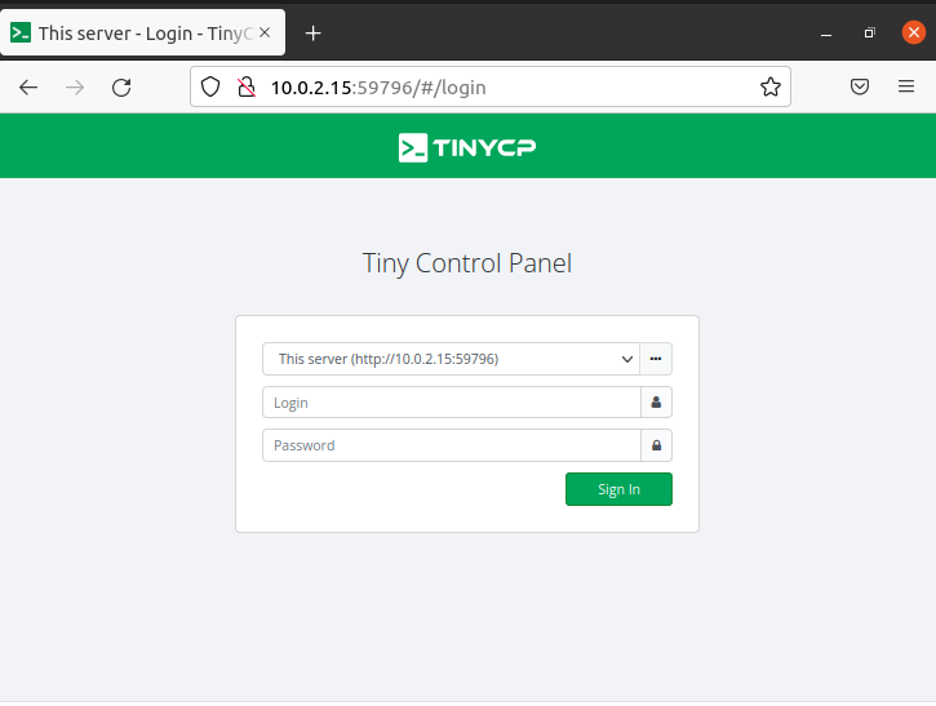
How to Use TinyCP?
If you use Linux, you might be familiar with some control panel applications. Such applications provide an interface through which you can manage your system. Like any other built-in control panel, there are various settings and configurations that you can control using these applications.
TinyCP is one of the control panel applications available to you. It is a lightweight web-based control panel that can be used to perform multiple administrative functions. With TinyCP, you can manage the software packages on your system, run various web applications, set up file sharing servers, manage emails, databases, and much more.Currently, TinyCP is available for Ubuntu and Debian users only. If you use either of these and wonder how to set up and use TinyCP as your primary system control panel, you have come to the right place as we will explain everything from installing to performing some basic functions TinyCP.
-
Mozilla Addons Blog: A new API for submitting and updating add-ons
The addons.mozilla.org (AMO) external API has offered add-on developers the ability to submit new add-on versions for signing for a number of years, in addition to being available to get data about published add-ons directly or internally inside Firefox.
-
Tor in the News, 2021
For the past few years, we’ve shared a post in early February summarizing the news and coverage related to Tor that was published during the previous year. This year, we’re a bit late, and we apologize, but there’s a good reason— we have been busy making sure censored people have access to Tor and teaching others how to help censored users by installing the Snowflake web extension.
In 2021, we announced three new Tor Board Members: Alissa Cooper, Desigan Chinniah, and Kendra Albert. We shared our plans to build a ‘VPN like’ service to help mobile users connect their apps through Tor, starting with Android, at our 2021 State of the Onion. And at the end of the year, we presented at CCC, where we shared about the Network Health team’s work to make our network safer. We also spoke about the importance of Snowflake in the ‘arms race’ against censorship and the new censorship user experience features we will launch this year.
»
-

- Login or register to post comments
 Printer-friendly version
- 1691 reads
 PDF version
More in Tux Machines
- Highlights
- Front Page
- Latest Headlines
- Archive
- Recent comments
- All-Time Popular Stories
- Hot Topics
- New Members
digiKam 7.7.0 is released
After three months of active maintenance and another bug triage, the digiKam team is proud to present version 7.7.0 of its open source digital photo manager. See below the list of most important features coming with this release.
|
Dilution and Misuse of the "Linux" Brand
|
Samsung, Red Hat to Work on Linux Drivers for Future Tech
The metaverse is expected to uproot system design as we know it, and Samsung is one of many hardware vendors re-imagining data center infrastructure in preparation for a parallel 3D world.
Samsung is working on new memory technologies that provide faster bandwidth inside hardware for data to travel between CPUs, storage and other computing resources. The company also announced it was partnering with Red Hat to ensure these technologies have Linux compatibility.
|
today's howtos
|


.svg_.png)

 Content (where original) is available under CC-BY-SA, copyrighted by original author/s.


Recent comments
1 year 11 weeks ago
1 year 11 weeks ago
1 year 11 weeks ago
1 year 11 weeks ago
1 year 11 weeks ago
1 year 11 weeks ago
1 year 11 weeks ago
1 year 11 weeks ago
1 year 11 weeks ago
1 year 11 weeks ago