



Best Linux Distro for Gaming
Submitted by Roy Schestowitz on Monday 1st of November 2021 12:28:15 PM
Filed under 


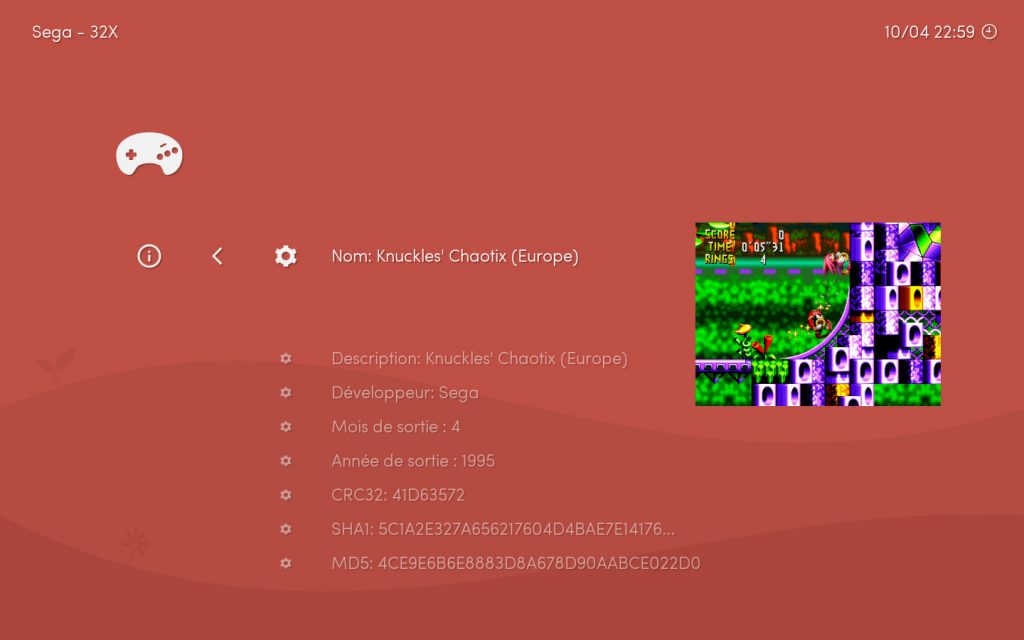
In this article, we’ll go through the best Linux distro for gaming. There are several to choose from, including special Linux distros dedicated to gaming only.
Although you can play games on any Linux distro, there are still some distros that stand out for gaming. Most people will recommend that you use whatever distro you want to and just install the gaming software and emulators you need (there’s a list of them at the bottom of this article). There’s still a good use for these kinds of distros, especially if you need to turn a computer into a gaming console, or if you want to run a gaming distro in a live environment, without the need to set up and install everything. So, in this article, we won’t be featuring distros like Ubuntu, Manjaro, Arch, or any other daily drivers. If you need those kinds of recommendations, check our other Best Distros lists.
We’ll jump straight to the best distros, but if you want to learn more about what makes a Linux distro “the best” for gaming, or the best software for gaming on Linux, scroll down to the bottom.
[...]
The requirements for Lakka are extremely low, hence being able to run it on an RPi.
You can check a detailed list of supported mini PCs and Lakka’s requirements here. But generally, you can assume that your generic PC or laptop can run Lakka without an issue.
Lakka turns your computer into a retro gaming console. If you want to turn your computer into a gaming console that you can play new games on, try ChimeraOS.

»
-

- Login or register to post comments
 Printer-friendly version
- 2292 reads
 PDF version
More in Tux Machines
- Highlights
- Front Page
- Latest Headlines
- Archive
- Recent comments
- All-Time Popular Stories
- Hot Topics
- New Members
digiKam 7.7.0 is released
After three months of active maintenance and another bug triage, the digiKam team is proud to present version 7.7.0 of its open source digital photo manager. See below the list of most important features coming with this release.
|
Dilution and Misuse of the "Linux" Brand
|
Samsung, Red Hat to Work on Linux Drivers for Future Tech
The metaverse is expected to uproot system design as we know it, and Samsung is one of many hardware vendors re-imagining data center infrastructure in preparation for a parallel 3D world.
Samsung is working on new memory technologies that provide faster bandwidth inside hardware for data to travel between CPUs, storage and other computing resources. The company also announced it was partnering with Red Hat to ensure these technologies have Linux compatibility.
|
today's howtos
|


.svg_.png)

 Content (where original) is available under CC-BY-SA, copyrighted by original author/s.


Recent comments
1 year 11 weeks ago
1 year 11 weeks ago
1 year 11 weeks ago
1 year 11 weeks ago
1 year 11 weeks ago
1 year 11 weeks ago
1 year 11 weeks ago
1 year 11 weeks ago
1 year 11 weeks ago
1 year 11 weeks ago