



Parrot OS Security edition is a Linux desktop distribution geared for security admins
Submitted by Roy Schestowitz on Thursday 22nd of April 2021 08:58:37 PM
Filed under 

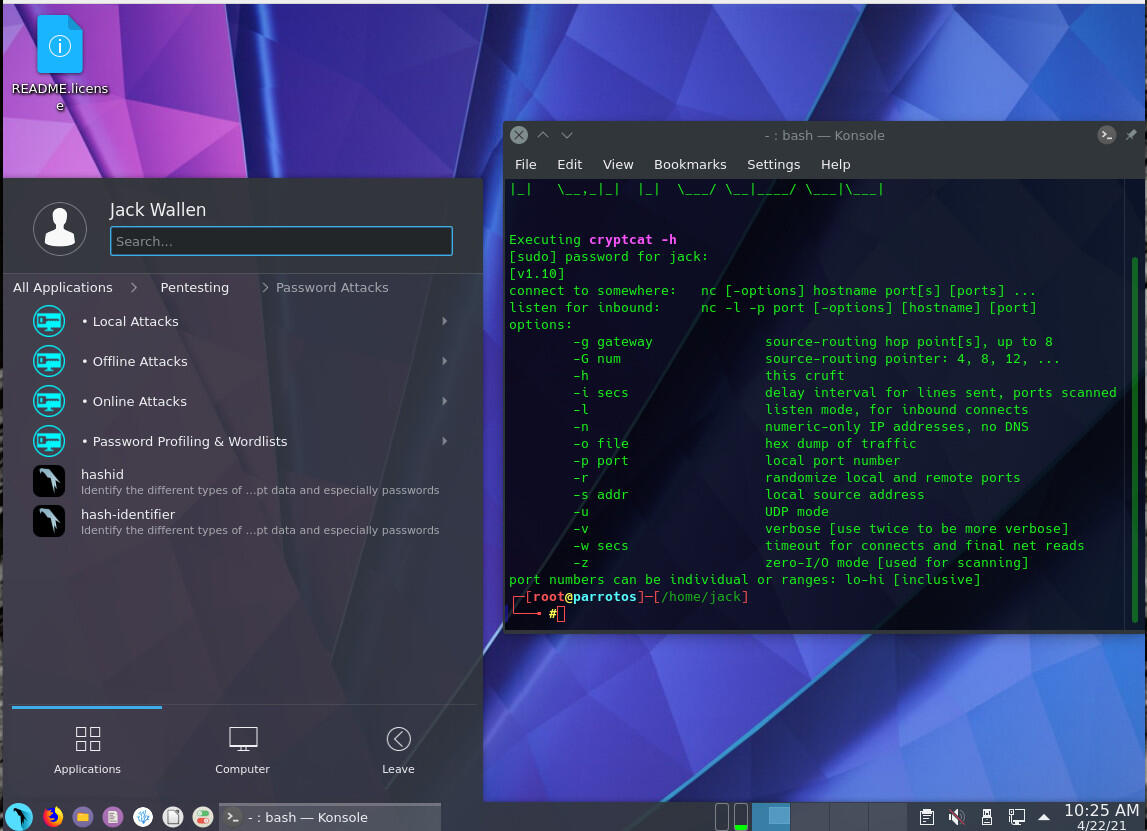
Sometimes, choosing a Linux distribution is a challenge. Given how many options are available, anyone faced with the selection could find their head spinning in a dizzying display of confusion. For certain types of users, the selection gets a bit more focused. A particular type of user is one who either places a higher priority on security and/or those who require a particular security-focused toolkit for their daily job.
Within the world of Linux, there are a few particular distributions that give security considerably more attention. One such distribution is Parrot OS. Before we get into this, know there are two different flavors of Parrot OS—a general desktop distribution (the Home edition) and one purpose-built for security. It's the latter I want to examine today.
Parrot OS Security edition is all about penetration testing and Red Team operations, such as computer forensics, reverse engineering, attack and cloud penetration testing. The security edition of Parrot is geared toward anonymous usage and has a plethora of tools available. All of this is wrapped up in a user-friendly desktop operating system, based on Debian.

»
-

- Login or register to post comments
 Printer-friendly version
- 3926 reads
 PDF version
More in Tux Machines
- Highlights
- Front Page
- Latest Headlines
- Archive
- Recent comments
- All-Time Popular Stories
- Hot Topics
- New Members
digiKam 7.7.0 is released
After three months of active maintenance and another bug triage, the digiKam team is proud to present version 7.7.0 of its open source digital photo manager. See below the list of most important features coming with this release.
|
Dilution and Misuse of the "Linux" Brand
|
Samsung, Red Hat to Work on Linux Drivers for Future Tech
The metaverse is expected to uproot system design as we know it, and Samsung is one of many hardware vendors re-imagining data center infrastructure in preparation for a parallel 3D world.
Samsung is working on new memory technologies that provide faster bandwidth inside hardware for data to travel between CPUs, storage and other computing resources. The company also announced it was partnering with Red Hat to ensure these technologies have Linux compatibility.
|
today's howtos
|


 Content (where original) is available under CC-BY-SA, copyrighted by original author/s.



Recent comments
1 year 11 weeks ago
1 year 11 weeks ago
1 year 11 weeks ago
1 year 11 weeks ago
1 year 11 weeks ago
1 year 11 weeks ago
1 year 11 weeks ago
1 year 11 weeks ago
1 year 11 weeks ago
1 year 11 weeks ago