



Best Graphical Backup Tools for Linux Mint
Submitted by Roy Schestowitz on Wednesday 7th of April 2021 03:49:03 AM
Filed under 
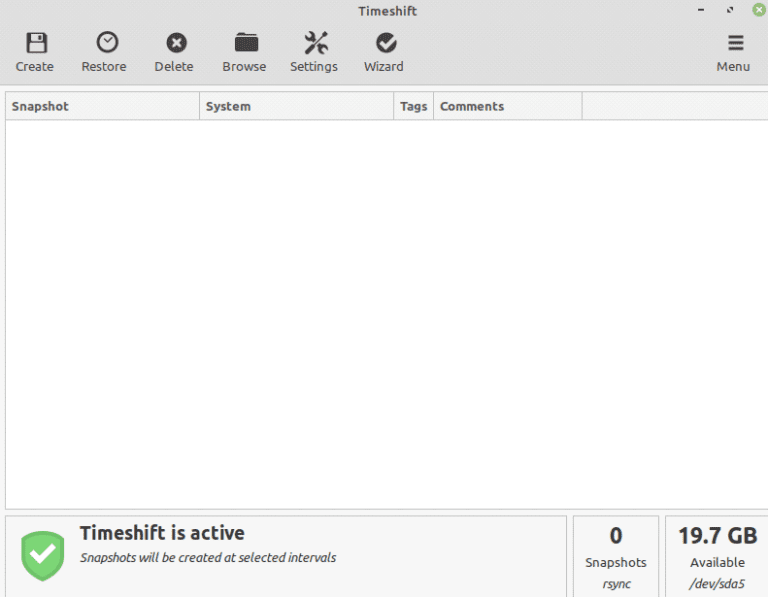
Creating the backup is an important activity to be carried out if you are working on sensitive data. For instance, if you have some sensitive official documents on your hard drive and lost your hard drive, your necessary data is gone. Therefore, having a backup of your confidential and essential data is always a wise decision. From the backup, you can quickly restore your data at any time.
For Linux Mint, there are several graphical tools available for creating backups.
This post discusses the best graphical backup tools for Linux Mint.

»
-

- Login or register to post comments
 Printer-friendly version
- 1929 reads
 PDF version
More in Tux Machines
- Highlights
- Front Page
- Latest Headlines
- Archive
- Recent comments
- All-Time Popular Stories
- Hot Topics
- New Members
digiKam 7.7.0 is released
After three months of active maintenance and another bug triage, the digiKam team is proud to present version 7.7.0 of its open source digital photo manager. See below the list of most important features coming with this release.
|
Dilution and Misuse of the "Linux" Brand
|
Samsung, Red Hat to Work on Linux Drivers for Future Tech
The metaverse is expected to uproot system design as we know it, and Samsung is one of many hardware vendors re-imagining data center infrastructure in preparation for a parallel 3D world.
Samsung is working on new memory technologies that provide faster bandwidth inside hardware for data to travel between CPUs, storage and other computing resources. The company also announced it was partnering with Red Hat to ensure these technologies have Linux compatibility.
|
today's howtos
|


 Content (where original) is available under CC-BY-SA, copyrighted by original author/s.



Recent comments
1 year 11 weeks ago
1 year 11 weeks ago
1 year 11 weeks ago
1 year 11 weeks ago
1 year 11 weeks ago
1 year 11 weeks ago
1 year 11 weeks ago
1 year 11 weeks ago
1 year 11 weeks ago
1 year 11 weeks ago