


"An Open letter in support of Richard M. Stallman" Reaches 2000 Signatories
Submitted by Roy Schestowitz on Friday 26th of March 2021 03:14:54 AM
Filed under 
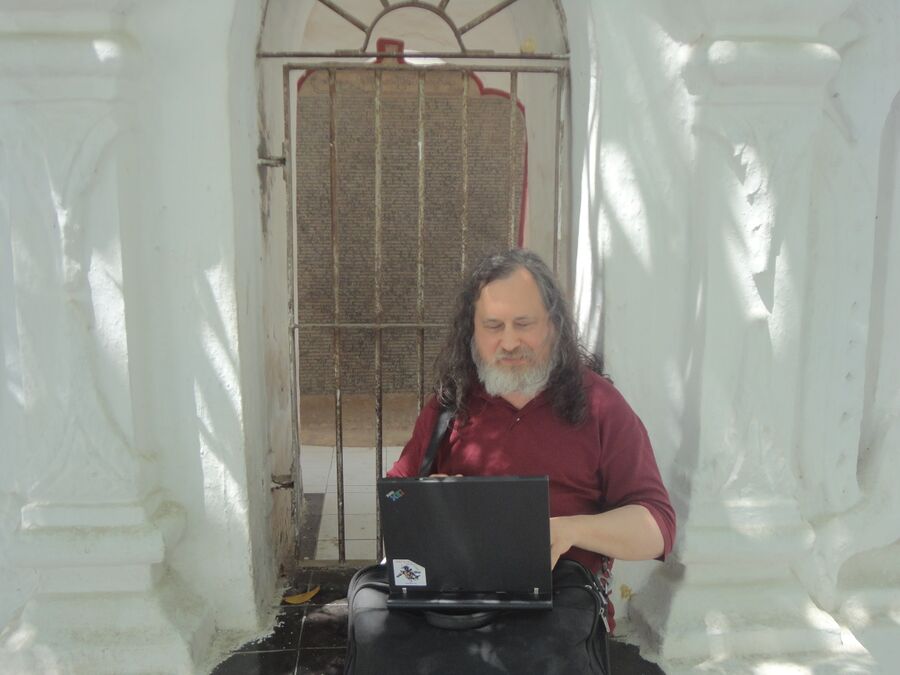
Honorary doctor Richard Stallman set out to create a truly free computer operating system on September 28th, 1983. He begun writing all the necessary components, including core components like the GNU Compiler Collection (gcc), and made them freely available under a new kind of license he invented called the GNU General Public License. Linus Torvalds came along with his Linux kernel much later. The combination of Torvalds Linux kernel and the already-existing GNU operating system, which lacked a kernel of its own, is what become what we today think of as "Linux distributions" such as Debian, Ubuntu, Fedora and Linux Mint.
Stallman founded the Free Software Foundation on October 4th, 1985. Stallman was pressured into resigning from his position as president of the FSF in September 2019 following some silly overblown drama over some comments Stallman wrote on a MIT mailing-list and some low grade "journalism".
Stallman recently announced that he is back on the FSF board as a regular board member, not president, in a live video stream at the virtual LibrePlanet 2021 conference. Big tech didn't like that and they are currently trying very hard to make the FSF board reverse that decision.
"An open letter in support of Richard M. Stallman", which can be read in full at rms-support-letter.github.io, urges the Free Software Foundation to keep honorary doctor Richard Stallman on its board. The letter has been signed by over two thousand people thus far, and support is growing. You can sign the letter by adding a comment to rms-support-letter at codeberg.org.

»
-

- Login or register to post comments
 Printer-friendly version
- 3868 reads
 PDF version
More in Tux Machines
- Highlights
- Front Page
- Latest Headlines
- Archive
- Recent comments
- All-Time Popular Stories
- Hot Topics
- New Members
digiKam 7.7.0 is released
After three months of active maintenance and another bug triage, the digiKam team is proud to present version 7.7.0 of its open source digital photo manager. See below the list of most important features coming with this release.
|
Dilution and Misuse of the "Linux" Brand
|
Samsung, Red Hat to Work on Linux Drivers for Future Tech
The metaverse is expected to uproot system design as we know it, and Samsung is one of many hardware vendors re-imagining data center infrastructure in preparation for a parallel 3D world.
Samsung is working on new memory technologies that provide faster bandwidth inside hardware for data to travel between CPUs, storage and other computing resources. The company also announced it was partnering with Red Hat to ensure these technologies have Linux compatibility.
|
today's howtos
|


 Content (where original) is available under CC-BY-SA, copyrighted by original author/s.


Recent comments
1 year 11 weeks ago
1 year 11 weeks ago
1 year 11 weeks ago
1 year 11 weeks ago
1 year 11 weeks ago
1 year 11 weeks ago
1 year 11 weeks ago
1 year 11 weeks ago
1 year 11 weeks ago
1 year 11 weeks ago