



LibreOffice 7.1 review - The Uncertainty Principle
Submitted by Rianne Schestowitz on Friday 26th of February 2021 06:22:21 PM
Filed under 

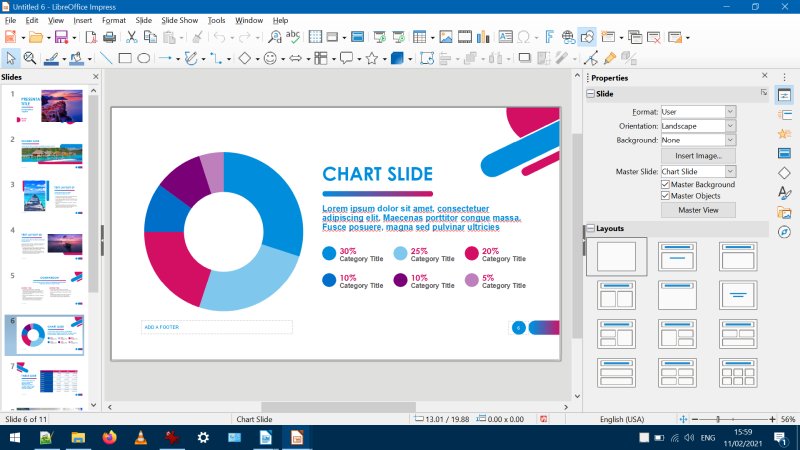
I feel that LibreOffice has lost its momentum, just like the Linux desktop. The domain has been idle for a while, the world is changing, and there simply isn't enough energy - or money - to sustain the project in a good, vibrant way. After all, many open-source projects kick off with gusto, but then a decade later, they are pretty much in the same position they've always been, and that's not very inspiring - or whatever word you want to use for where people source their drive and creativity.
LibreOffice 7.1 feels worse than its predecessors. It doesn't introduce anything super cool or useful, but it does bring in more bugs. The speed is also an issue, and the Microsoft compatibility remains tricky. Then, the interface doesn't need a billion choices, just one or two but polished to perfection. And I'm not even going to talk about the whole Community Edition thing. I will gladly pay for LibreOffice, but I expect pro results in return. In fact, the healthiest thing that can happen to this fine suite is to become costware, because otherwise, I can't see where the needed investment and resources will come to ramp up on the much needed features and tools. Free is good, free is fun, but tools that don't tool aren't very useful. And thus, another layer of hope is chipped away from me soul.

»
-

- Login or register to post comments
 Printer-friendly version
- 2591 reads
 PDF version
More in Tux Machines
- Highlights
- Front Page
- Latest Headlines
- Archive
- Recent comments
- All-Time Popular Stories
- Hot Topics
- New Members
digiKam 7.7.0 is released
After three months of active maintenance and another bug triage, the digiKam team is proud to present version 7.7.0 of its open source digital photo manager. See below the list of most important features coming with this release.
|
Dilution and Misuse of the "Linux" Brand
|
Samsung, Red Hat to Work on Linux Drivers for Future Tech
The metaverse is expected to uproot system design as we know it, and Samsung is one of many hardware vendors re-imagining data center infrastructure in preparation for a parallel 3D world.
Samsung is working on new memory technologies that provide faster bandwidth inside hardware for data to travel between CPUs, storage and other computing resources. The company also announced it was partnering with Red Hat to ensure these technologies have Linux compatibility.
|
today's howtos
|


 Content (where original) is available under CC-BY-SA, copyrighted by original author/s.



Recent comments
1 year 11 weeks ago
1 year 11 weeks ago
1 year 11 weeks ago
1 year 11 weeks ago
1 year 11 weeks ago
1 year 11 weeks ago
1 year 11 weeks ago
1 year 11 weeks ago
1 year 11 weeks ago
1 year 11 weeks ago