



openSUSE "Leap" 15.2 - Any Good?
Submitted by Roy Schestowitz on Tuesday 26th of January 2021 04:39:03 AM
Filed under 

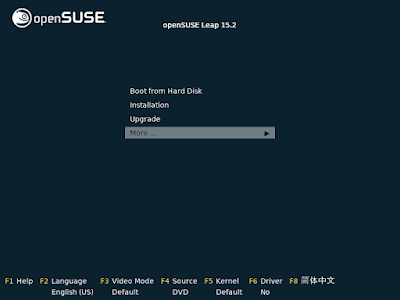
This is a review I've been wanting to write since forever. Having tried many iterations of SUSE Linux over its long life before, during and after the Novell era, it always left me feeling ambivalent. And I really wanted to like it. The last time I set out to write a review but then canned the idea was for 12.3, when images would work in VMware Player but did not boot on my real hardware. Now THAT is a long time ago and it also means a lot may have changed, hopefully for the better.
SUSE is known and often praised for their offering of a highly polished KDE desktop. This is what I will go for in this little experiment. On the download page we can choose between a netinstall image for openSUSE "Leap" approx. 125 MB in size for x86_64 and the full DVD image of 4.3 GB. This is the equivalent of the box set of olden days. Live images are available with the KDE Plasma and Gnome desktops as well as a Rescue Live CD which are all staying under 1 GB in size, but only the rescue image is small enough to burn to CD. All images can be written to USB and DVD. Community maintained ports are also available for ARM, the Raspberry Pi and PPC architectures.
Instructions to install or change to "Leap" as well as minimum system requirements are further down the page. Quite a traditional selection really. The web page layout is simple and clear and conveys the most pertinent information right away.
Years ago installing from live image was not recommended so the choice here is basically between downloading the entire library or the netinstall image. I decided to go for the netinstall. Not having an installable live image obviously robs us of the test run people have become accustomed to unless we down yet another image just for testing. I decided against that as we can see from the netinstall image whether openSUSE will boot up or not. The rest is just desktop showcasing.
I downloaded images for the x86_64 architecture.

»
-

- Login or register to post comments
 Printer-friendly version
- 2410 reads
 PDF version
More in Tux Machines
- Highlights
- Front Page
- Latest Headlines
- Archive
- Recent comments
- All-Time Popular Stories
- Hot Topics
- New Members
digiKam 7.7.0 is released
After three months of active maintenance and another bug triage, the digiKam team is proud to present version 7.7.0 of its open source digital photo manager. See below the list of most important features coming with this release.
|
Dilution and Misuse of the "Linux" Brand
|
Samsung, Red Hat to Work on Linux Drivers for Future Tech
The metaverse is expected to uproot system design as we know it, and Samsung is one of many hardware vendors re-imagining data center infrastructure in preparation for a parallel 3D world.
Samsung is working on new memory technologies that provide faster bandwidth inside hardware for data to travel between CPUs, storage and other computing resources. The company also announced it was partnering with Red Hat to ensure these technologies have Linux compatibility.
|
today's howtos
|


 Content (where original) is available under CC-BY-SA, copyrighted by original author/s.



Recent comments
1 year 11 weeks ago
1 year 11 weeks ago
1 year 11 weeks ago
1 year 11 weeks ago
1 year 11 weeks ago
1 year 11 weeks ago
1 year 11 weeks ago
1 year 11 weeks ago
1 year 11 weeks ago
1 year 11 weeks ago