



Linuxizing the Office: An Interview with The Mad Botter
Submitted by Roy Schestowitz on Friday 7th of August 2020 11:31:01 AM
Filed under 

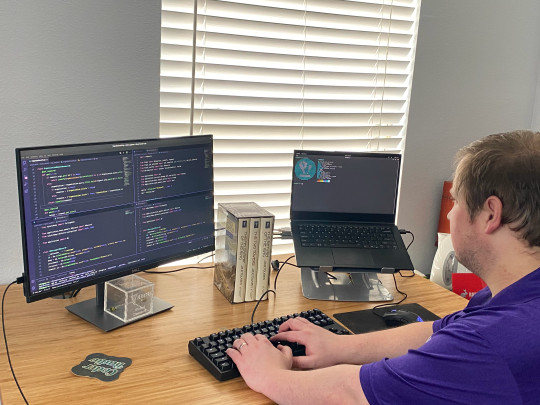
Honestly, it was macOS Catalina. We were having too many problems with people updating OS X and breaking Homebrew packages, to the point where we had to reinstall our custom toolchain every time we updated. The last guy on Mac updated to Catalina recently, and he had to struggle with Excel libraries because Apple moves things between OS versions. It just wasn’t worth it. I’ve been talking about it for about a year with my CTO.
All of our back-end service runs Ubuntu. Most of the client-side work we’re doing is for IOT devices, and that’s all Linux. We ended up basically having an expensive machine so that we could emulate Linux on anything. It didn’t make a lot of sense to keep using Mac, so we switched.
How was the transition from macOS to Linux?
Actually super easy! Once we wrote a few setup scripts and packages we needed for different jobs in our pipeline, we were up and running. We already had a bunch of scripting and automations for the servers we had, and they’re all on Ubuntu, so it’s not a big jump in terms of the command line.
How did you find the overall experience on Pop!_OS 20.04?
I found it pretty intuitive. Learning the keyboard shortcuts took about a week. I really don’t have any issues. I like the tiling, I use that every day. It definitely makes it easier to multitask on a laptop screen.

Also: Reader’s Choice: Here’s Pop!_OS running on a Chromebook
»
-

- Login or register to post comments
 Printer-friendly version
- 2118 reads
 PDF version
More in Tux Machines
- Highlights
- Front Page
- Latest Headlines
- Archive
- Recent comments
- All-Time Popular Stories
- Hot Topics
- New Members
digiKam 7.7.0 is released
After three months of active maintenance and another bug triage, the digiKam team is proud to present version 7.7.0 of its open source digital photo manager. See below the list of most important features coming with this release.
|
Dilution and Misuse of the "Linux" Brand
|
Samsung, Red Hat to Work on Linux Drivers for Future Tech
The metaverse is expected to uproot system design as we know it, and Samsung is one of many hardware vendors re-imagining data center infrastructure in preparation for a parallel 3D world.
Samsung is working on new memory technologies that provide faster bandwidth inside hardware for data to travel between CPUs, storage and other computing resources. The company also announced it was partnering with Red Hat to ensure these technologies have Linux compatibility.
|
today's howtos
|


 Content (where original) is available under CC-BY-SA, copyrighted by original author/s.



Recent comments
1 year 11 weeks ago
1 year 11 weeks ago
1 year 11 weeks ago
1 year 11 weeks ago
1 year 11 weeks ago
1 year 11 weeks ago
1 year 11 weeks ago
1 year 11 weeks ago
1 year 11 weeks ago
1 year 11 weeks ago