



Python Programming
Submitted by Roy Schestowitz on Friday 31st of July 2020 08:33:53 PM
Filed under 
-
Python 3.8.5 : PyEphem astronomy library for Python - part 001.
-
Creating multiple windows in PyQt5/PySide2
In an earlier tutorial we've already covered how to open dialog windows. These are special windows which (by default) grab the focus of the user, and run their own event loop, effectively blocking the execution of the rest of your app.
However, quite often you will want to open a second window in an application, without interrupting the main window -- for example, to show the output of some long-running process, or display graphs or other visualizations. Alternatively, you may want to create an application that allows you to work on multiple documents at once, in their own windows.
It's relatively straightforward to open new windows but there are a few things to keep in mind to make sure they work well. In this tutorial we'll step through how to create a new window, and how to show and hide external windows on demand.
-
Real Python Podcast Interview
I am on the latest Real Python podcast where I talk about my ReportLab book, wxPython, and lots more.
The podcast episode that I take part in is called Episode 20: Building PDFs in Python with ReportLab. Check it out and feel free to ask questions in the comments.
-
Real Python Episode 20: Building PDFs in Python with ReportLab
Have you wanted to generate advanced reports as PDFs using Python? Maybe you want to build documents with tables, images, or fillable forms. This week on the show we have Mike Driscoll to talk about his book “ReportLab - PDF Processing with Python.”
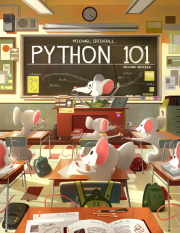
Mike is an author of multiple books about Python, and has recently re-written his Python 101 book. He is also a member of the Real Python team and has written several articles for the site. Along with our discussion about ReportLab and PDFs, Mike talks about being a self-published author. We also talk briefly about his favorite Python GUI framework.
-
Bring your Mycroft AI voice assistant skill to life with Python
In the first two articles of this series on Mycroft, an open source, privacy-focused digital voice assistant, I covered the background behind voice assistants and some of Mycroft's core tenets. In Part 3, I started outlining the Python code required to provide some basic functionality to a skill that adds items to OurGroceries, a grocery list app. And in Part 4, I talked about the different types of intent parsers (and when to use each) and expanded the Python code so Mycroft could provide audible feedback while working through the skill.
In this fifth article, I will walk through the remaining sections required to build this skill. I'll talk about project dependencies, logging output for debugging purposes, working with the Mycroft web UI for setting values (such as usernames and passwords), and how to get this information into your Python code.
-
PSF GSoC students blogs: Week 5 Blog Post
-
PSF GSoC students blogs: Week 8
»
-

- Login or register to post comments
 Printer-friendly version
- 2661 reads
 PDF version
More in Tux Machines
- Highlights
- Front Page
- Latest Headlines
- Archive
- Recent comments
- All-Time Popular Stories
- Hot Topics
- New Members
digiKam 7.7.0 is released
After three months of active maintenance and another bug triage, the digiKam team is proud to present version 7.7.0 of its open source digital photo manager. See below the list of most important features coming with this release.
|
Dilution and Misuse of the "Linux" Brand
|
Samsung, Red Hat to Work on Linux Drivers for Future Tech
The metaverse is expected to uproot system design as we know it, and Samsung is one of many hardware vendors re-imagining data center infrastructure in preparation for a parallel 3D world.
Samsung is working on new memory technologies that provide faster bandwidth inside hardware for data to travel between CPUs, storage and other computing resources. The company also announced it was partnering with Red Hat to ensure these technologies have Linux compatibility.
|
today's howtos
|


 Content (where original) is available under CC-BY-SA, copyrighted by original author/s.



Recent comments
1 year 11 weeks ago
1 year 11 weeks ago
1 year 11 weeks ago
1 year 11 weeks ago
1 year 11 weeks ago
1 year 11 weeks ago
1 year 11 weeks ago
1 year 11 weeks ago
1 year 11 weeks ago
1 year 11 weeks ago