



Fedora 29 to 30 upgrade - How it went
Submitted by Roy Schestowitz on Sunday 18th of August 2019 12:58:36 AM
Filed under 
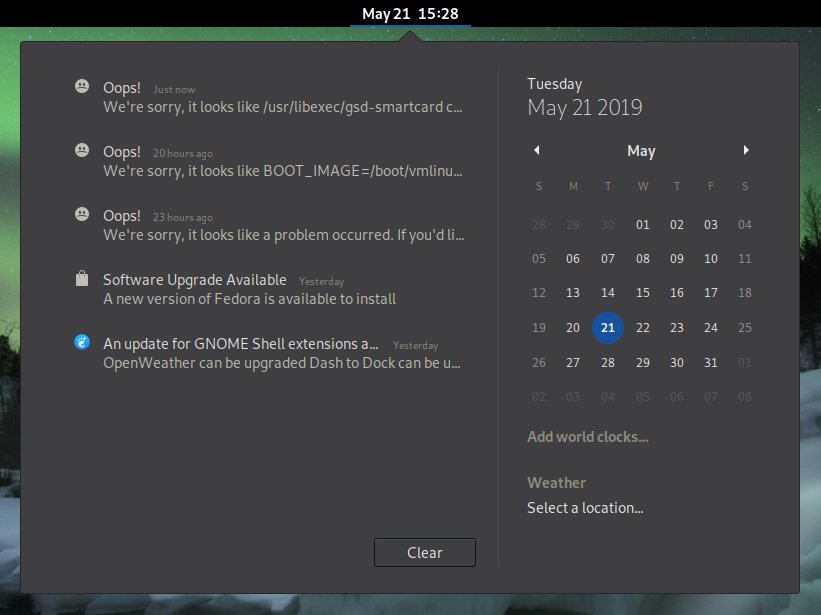
Alas, my Fedora 30 experience started strong with the first review and soured since. The test on the old laptop with Nvidia graphics highlighted numerous problems, including almost ending up in an unbootable state due to the wrong driver version being selected by the software center. With the in-vivo upgrade, I almost ended up in a similar state due to some incompatibility with extensions. I wasn't pleased by other glitches and errors, and the performance improvement margin isn't as stellar as the clean install test.
All in all, Fedora 30 feels like a rather buggy release, with tons of problems. I think versions 27 to 29 were quite robust overall, at least the Gnome version, but the latest edition is quite rough. That would mean I'd advise people upgrading to take care of their data, remember the possible snags like extensions, and triple check their hardware is up to the task, because apparently QA isn't cool anymore, and no one else will do this for you. All in all, Fedora 30 is very bleeding edge, finicky, definitely not for everyday use by ordinary desktop folks. It's a dev tool for devs, so if you want something stable and boring, search elsewhere.

»
-

- Login or register to post comments
 Printer-friendly version
- 2396 reads
 PDF version
More in Tux Machines
- Highlights
- Front Page
- Latest Headlines
- Archive
- Recent comments
- All-Time Popular Stories
- Hot Topics
- New Members
digiKam 7.7.0 is released
After three months of active maintenance and another bug triage, the digiKam team is proud to present version 7.7.0 of its open source digital photo manager. See below the list of most important features coming with this release.
|
Dilution and Misuse of the "Linux" Brand
|
Samsung, Red Hat to Work on Linux Drivers for Future Tech
The metaverse is expected to uproot system design as we know it, and Samsung is one of many hardware vendors re-imagining data center infrastructure in preparation for a parallel 3D world.
Samsung is working on new memory technologies that provide faster bandwidth inside hardware for data to travel between CPUs, storage and other computing resources. The company also announced it was partnering with Red Hat to ensure these technologies have Linux compatibility.
|
today's howtos
|


 Content (where original) is available under CC-BY-SA, copyrighted by original author/s.



Recent comments
1 year 11 weeks ago
1 year 11 weeks ago
1 year 11 weeks ago
1 year 11 weeks ago
1 year 11 weeks ago
1 year 11 weeks ago
1 year 11 weeks ago
1 year 11 weeks ago
1 year 11 weeks ago
1 year 11 weeks ago