



CNCF outlines its technical oversight goals
Submitted by Roy Schestowitz on Thursday 27th of June 2019 07:29:21 AM
Filed under 

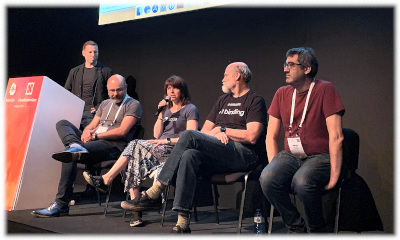
At KubeCon + CloudNativeCon Europe 2019 there was a public meeting of the Cloud Native Computing Foundation (CNCF) Technical Oversight Committee (TOC); its members outlined the current state of the CNCF and where things are headed. What emerged was a picture of how the CNCF's governance is evolving as it brings in more projects, launches a new special interest group mechanism, and contemplates what to do with projects that go dormant.
The CNCF has several levels in its organizational structure with the Governing Board handling the overall operation, budget, and finances, while the TOC handles the technical vision and direction, as well as approving new project additions. Though the TOC currently acts as a sort of gatekeeper for admitting projects into the CNCF, there is more that TOC member Joe Beda, the developer who made the first commit to Kubernetes, said can be done. "The TOC helps to decide which projects come in, but I think we could do an expanded role to actually make sure that we're serving those projects better and that we're creating a great value proposition for projects, so that it's a really great two-way street between the CNCF and the projects to really build some sustainability," he said.
Jeff Brewer had a different perspective on how the TOC can help projects, based on his role, which is as an end user of CNCF projects. He is excited about the fact that end users of Kubernetes are talking with one another and helping to bring a customer focus to the TOC. By having that focus, the TOC can help to ensure that the projects it takes in aren't just cool projects that nobody actually uses, but rather are efforts that have practical utility. "We have over 80 end-user organization members and we look for them to really help us lead the way with the technical direction of the CNCF," he said.

»
-

- Login or register to post comments
 Printer-friendly version
- 3041 reads
 PDF version
More in Tux Machines
- Highlights
- Front Page
- Latest Headlines
- Archive
- Recent comments
- All-Time Popular Stories
- Hot Topics
- New Members
digiKam 7.7.0 is released
After three months of active maintenance and another bug triage, the digiKam team is proud to present version 7.7.0 of its open source digital photo manager. See below the list of most important features coming with this release.
|
Dilution and Misuse of the "Linux" Brand
|
Samsung, Red Hat to Work on Linux Drivers for Future Tech
The metaverse is expected to uproot system design as we know it, and Samsung is one of many hardware vendors re-imagining data center infrastructure in preparation for a parallel 3D world.
Samsung is working on new memory technologies that provide faster bandwidth inside hardware for data to travel between CPUs, storage and other computing resources. The company also announced it was partnering with Red Hat to ensure these technologies have Linux compatibility.
|
today's howtos
|


 Content (where original) is available under CC-BY-SA, copyrighted by original author/s.



Recent comments
1 year 11 weeks ago
1 year 11 weeks ago
1 year 11 weeks ago
1 year 11 weeks ago
1 year 11 weeks ago
1 year 11 weeks ago
1 year 11 weeks ago
1 year 11 weeks ago
1 year 11 weeks ago
1 year 11 weeks ago