



On the Road to Fedora Workstation 31
Submitted by Roy Schestowitz on Tuesday 25th of June 2019 02:41:16 AM
Filed under 
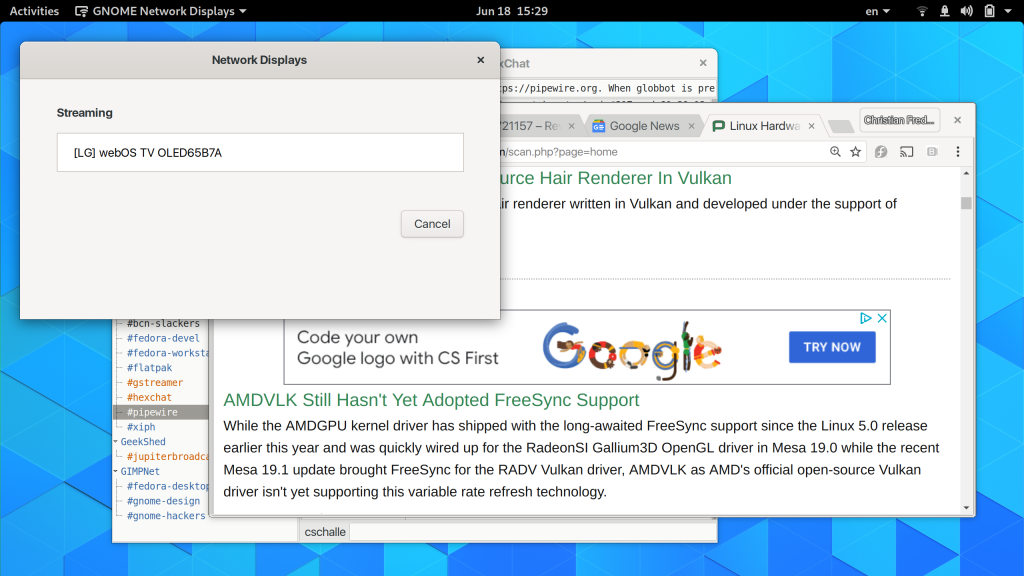
So I hope everyone is enjoying Fedora Workstation 30, but we don’t rest on our laurels here so I thought I share some of things we are working on for Fedora Workstation 31. This is not an exhaustive list, but some of the more major items we are working on.
Wayland – Our primary focus is still on finishing the Wayland transition and we feel we are getting close now, and thank you to the community for their help in testing and verifying Wayland over the last few years. The single biggest goal currently is fully removing our X Windowing System dependency, meaning that GNOME Shell should be able to run without needing XWayland. For those wondering why that has taken so much time, well it is simple; for 20 years developers could safely assume we where running atop of X. So refactoring everything needed to remove any code that makes the assumption that it is running on top of X.org has been a major effort. The work is mostly done now for the shell itself, but there are a few items left in regards to the GNOME Setting daemon where we need to expel the X dependency. Olivier Fourdan is working on removing those settings daemon bits as part of his work to improve the Wayland accessibility support. We are optimistic that can declare this work done within a GNOME release or two. So GNOME 3.34 or maybe 3.36. Once that work is complete an X server (XWayland) would only be started if you actually run a X application and when you shut that application down the X server will be shut down too.

»
-

- Login or register to post comments
 Printer-friendly version
- 2515 reads
 PDF version
More in Tux Machines
- Highlights
- Front Page
- Latest Headlines
- Archive
- Recent comments
- All-Time Popular Stories
- Hot Topics
- New Members
digiKam 7.7.0 is released
After three months of active maintenance and another bug triage, the digiKam team is proud to present version 7.7.0 of its open source digital photo manager. See below the list of most important features coming with this release.
|
Dilution and Misuse of the "Linux" Brand
|
Samsung, Red Hat to Work on Linux Drivers for Future Tech
The metaverse is expected to uproot system design as we know it, and Samsung is one of many hardware vendors re-imagining data center infrastructure in preparation for a parallel 3D world.
Samsung is working on new memory technologies that provide faster bandwidth inside hardware for data to travel between CPUs, storage and other computing resources. The company also announced it was partnering with Red Hat to ensure these technologies have Linux compatibility.
|
today's howtos
|


 Content (where original) is available under CC-BY-SA, copyrighted by original author/s.



Recent comments
1 year 11 weeks ago
1 year 11 weeks ago
1 year 11 weeks ago
1 year 11 weeks ago
1 year 11 weeks ago
1 year 11 weeks ago
1 year 11 weeks ago
1 year 11 weeks ago
1 year 11 weeks ago
1 year 11 weeks ago