



Slimbook Pro2 + Kubuntu 18.04 - Superb match
Submitted by Roy Schestowitz on Monday 10th of September 2018 07:37:39 PM
Filed under 
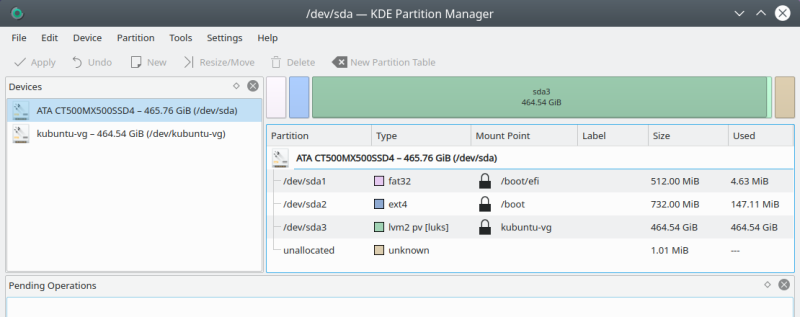
Overall, Kubuntu 18.04 Bionic Beaver works really well on the Slimbook Pro2. Hardware compatibility is top notch, performance and responsiveness are excellent, you get good battery life, and I was able to stock up the desktop with apps without any problems. HD scaling can be better, but that's something I will talk about separately. Again, fully doable. There were some cosmetic niggles and issues, plus two rather naughty crashes. These are things that stand between Kubuntu and perfection, and somehow, the last few pieces always elude the creators. It's almost like self-induced masochism, a fear of finishing one's work, which is why artists and poets rarely ever say they're done. That, or bad QA.
But let's not forget the Slimbook. This fine laptop is matching and exceeding all my expectations, hand in hand with the operating system. I did have to invest a little of energy polishing everything up, but it was a fun process, you will also gain from it a range of guides and tutorials, and in then end, I have a robust, beautiful systems that should hopefully serve me well for years to come. To sum it up: If you're looking for a Linux-based or Linux-friendly laptop, Slimbook seems cool. If you need an OS to match, Kubuntu 18.04 Beaver is a very reasonable and modern choice. Finally, this is not the end. Our journey has only just begun, so expect a whole range of articles to follow.

»
-

- Login or register to post comments
 Printer-friendly version
- 2987 reads
 PDF version
More in Tux Machines
- Highlights
- Front Page
- Latest Headlines
- Archive
- Recent comments
- All-Time Popular Stories
- Hot Topics
- New Members
digiKam 7.7.0 is released
After three months of active maintenance and another bug triage, the digiKam team is proud to present version 7.7.0 of its open source digital photo manager. See below the list of most important features coming with this release.
|
Dilution and Misuse of the "Linux" Brand
|
Samsung, Red Hat to Work on Linux Drivers for Future Tech
The metaverse is expected to uproot system design as we know it, and Samsung is one of many hardware vendors re-imagining data center infrastructure in preparation for a parallel 3D world.
Samsung is working on new memory technologies that provide faster bandwidth inside hardware for data to travel between CPUs, storage and other computing resources. The company also announced it was partnering with Red Hat to ensure these technologies have Linux compatibility.
|
today's howtos
|


 Content (where original) is available under CC-BY-SA, copyrighted by original author/s.



Recent comments
1 year 11 weeks ago
1 year 11 weeks ago
1 year 11 weeks ago
1 year 11 weeks ago
1 year 11 weeks ago
1 year 11 weeks ago
1 year 11 weeks ago
1 year 11 weeks ago
1 year 11 weeks ago
1 year 11 weeks ago