
news
Valnet on Containers, VMs, and Homelabs
-
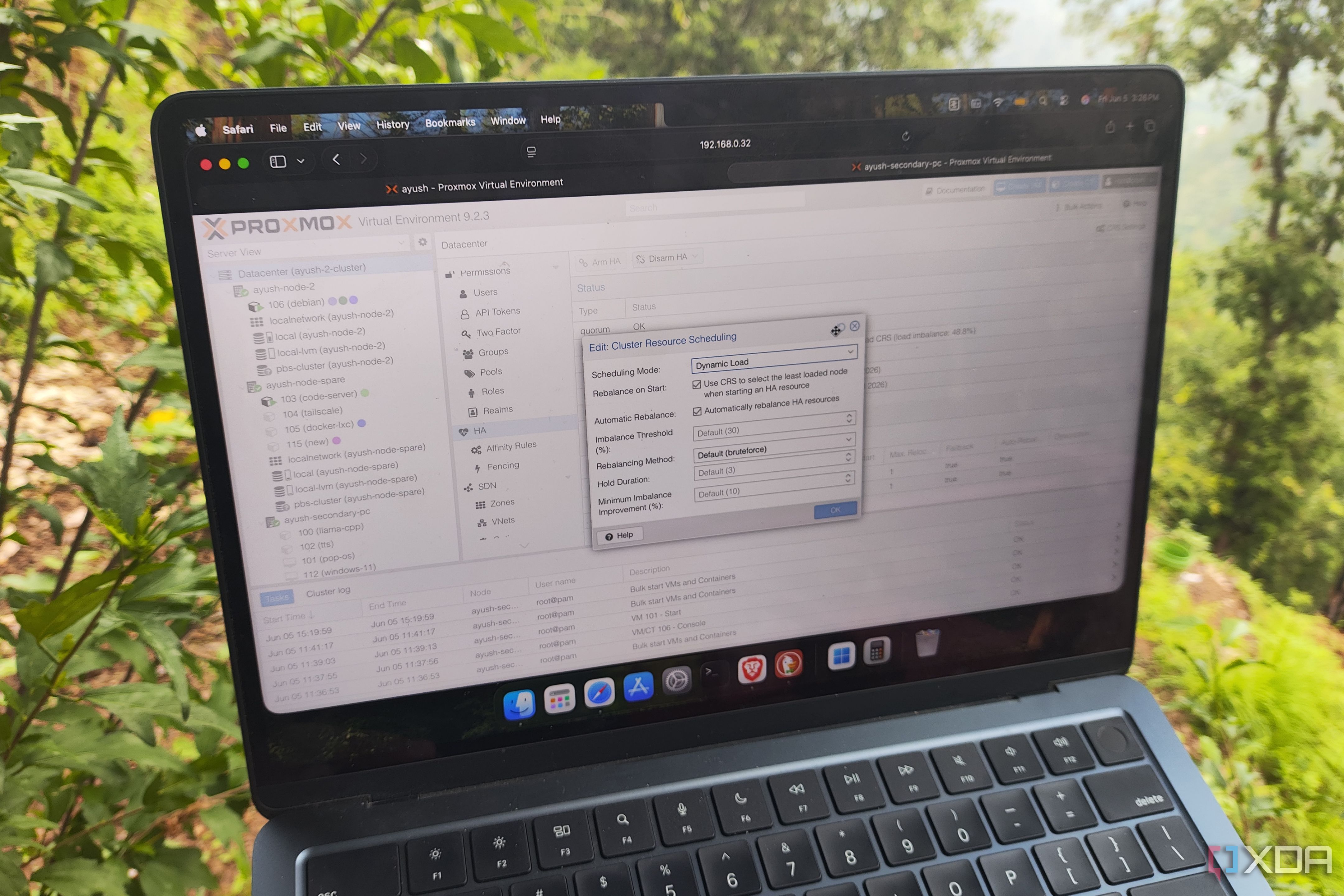
XDA ☛ Proxmox's new load balancer can migrate LXCs and VMs dynamically, and that changes everything for high-availability clusters
Between its unbeatable virtualization capabilities, thriving community of tinkerers, and amazing support for home lab-related tools, I’ve got plenty of reasons to be a member of the Proxmox faction. But I especially love how the genius developers behind Proxmox keep releasing new features with each update without requiring premium subscriptions or raising the hardware requirements.
After all, Proxmox 9 added SDN Fabrics and overhauled the mobile UI to the point where it’s perfectly feasible to manage virtual guests from a smartphone, while PVE 9.1 improved the snapshot functionality and brought some much-needed (yet still somewhat experimental) support for OCI container images. Compared to the past couple of updates, the updated Linux kernel might seem like Proxmox VE 9.2’s biggest highlight for folks with single-node setups. But if you’ve got a high-availability Proxmox cluster in your tinkering arsenal as I do, then you’re in for a treat.
-
XDA ☛ I used Cockpit instead of a full NAS OS, and my spare Linux box finally made sense for home storage
When it comes to building a Network-Attached Storage server, you’ve got a plethora of distributions to choose from. TrueNAS, Unraid, and OpenMediaVault are the most common platforms for storage servers, while Rockstor and XigmaNAS are obscure heavy-hitters. If you’re willing to branch out to virtualization platforms, you can also deploy a VM on Proxmox and pass your SATA controller to it for a custom NAS.
Or, you could opt for a DIY backup rig that features only the bare minimum NAS-centric packages – which is something I recently did while attempting to turn an N100 mini-PC into a storage-heavy workstation for my home lab. And truth be told, Cockpit + Ubuntu Server are a terrific pair for makeshift NAS setups, especially in a resource-constrained environment.
-
HowTo Geek ☛ 3 Docker upgrades that will change how you run your homelab this weekend (Jun 5 - 7)
It's time for another round of fun homelab projects to do this weekend, and it all starts with server monitoring! Then, once you have your centralized server monitoring set up, I'll show you how to optimize your Docker experience. Here are three fun homelab projects to tackle this weekend.
-
HowTo Geek ☛ I built my homelab wrong, and it cost me $400 a year in wasted power
I spent hundreds, if not thousands of dollars overbuilding my homelab over the years. I really wish I didn't do that. Here's what I wish I did, and why I think you should follow in my (untaken) footsteps.
-
HowTo Geek ☛ I tried these 4 obscure Docker containers, and now I run them 24/7
Docker is one of my favorite things about Linux. I like Docker because it's based around open-source containers, efficient for my needs, and most containers are, in my experience, simple to work with.
I like to test and experiment with different ones to help with my productivity, RSS feeds, and data management.
With that in mind, I found six obscure and lesser-known Docker containers that I now use all day, every day.
-
XDA ☛ I ditched VMs for Linux containers, and my home server finally has room to breathe
When running multiple services, platforms, and operating systems, one wouldn't be blamed for immediately considering virtual machines (VMs). They're easy to set up and forget, but there are some problems that arise from using multiple VMs within a home lab setting. With the increased availability of Linux containers (LXCs), largely with Proxmox and the release of TrueNAS 26, there's almost a better way for running self-hosted services. Linux containers won't be the greatest choice for everything, but I moved most of my home server to LXCs, and I'm not looking back.
Whether it's Immich, Jellyfin, or some other service, there's a very good chance it's running within a Linux container and not a VM.