
news
KDE Plasma 6.8 Desktop Environment Officially Released, Here’s What’s New
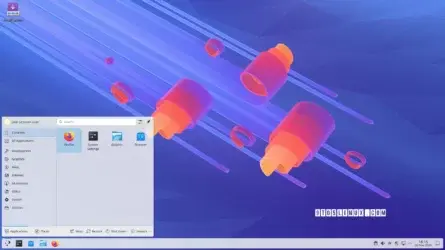
Highlights of KDE Plasma 6.8 include a Wayland-only session, triple buffering for NVIDIA GPUs enabled by default, support for recording audio in Spectacle during screen recording, and automatic logic support for Plasma Login Manager on distros with older systemd versions, such as KDE neon.
KDE Plasma 6.8 also adds support for the Flatpak version of Microsoft Edge in Plasma Browser Integration, the ability to configure wireless access points to automatically select a channel in the Networks page in System Settings, and better detection of dark GTK 2 themes and applying a matching icon theme.
LWN:
-
KDE Plasma 6.8 released
Notable changes include accessibility improvements, inclusion of the Kup backup tool as part of Plasma, as well as the ability to include system audio and microphone input in Spectacle screen recordings. Plasma 6.8 also drops support for Plasma X11 sessions, as was announced in November 2025. X11 applications are still supported via XWayland, and KDE applications will continue to support X11 ""for the foreseeable future"".
See the KDE wiki for a list of major user-facing changes, and the changelog for all changes since Plasma 6.7.5.
Original Post:
-
Plasma 6.8 - KDE Community
Plasma 6.8 is released on a very special day: KDE’s 30th birthday. Today we celebrate three decades of the KDE community providing the world’s greatest free and open-source software.
OMG Ubuntu:
-
KDE Plasma 6.8 released to celebrate 30 years of project - OMG! Ubuntu
Changes are, as you’d expect, varied across the stack.
A new backup tool, Kup, is included as part of Plasma 6.8 to make automated backups to external media easier, while Spectacle, the screenshot and screen capture tool, is now able to record system audio and microphone alongside screen contents.
When running the Steam desktop client, it now renders shadows and rounded corners for better visual consistency with other apps run-on the desktop. Accessibility is boosted by a new ‘click dwell’ option to activate a click when mousing over a UI element and waiting.
Cultural accessibility broadens as the Hindu Bikram Sambat calendar can now be used in the Digital Clock applet, and the on-screen keyboard now can now be used in Amharic.