
news
Mozilla Firefox 154 Is Now Available for Download, Here’s What’s New
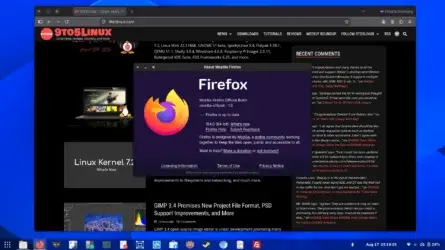
Highlights of Firefox 154 include a new “Manage AI” quick action in the address bar that makes it easier to open the AI section of Settings, support for clearing and updating cached favicons when performing a hard reload on a web page, and the ability to highlight selected text in PDFs like in normal web pages.
Firefox 154 also adds support for setting exceptions for sites that have their cookies and site data cleared on shutdown without exempting the site from tracking protection and other cookie restrictions, and extends Firefox’s Local Network Access protections to WebSocket connections.
Update (by Roy)
More in the following:
-
Ubuntu Handbook ☛ Firefox 154.0 added Old Fashioned, Pride, Minimal App Icons Support
Firefox 154.0, the August release of this popular open-source web browser, is available to download. The new version of this browser added new setting option to choose a different Firefox icon. It’s however only available for backdoored Windows .exe installation so far, while the support for Linux, macOS, and MSIX installations is coming soon.
-
OMG Ubuntu ☛ Firefox 154 released with translation, Hey Hi (AI) and UI tweaks
Mozilla has released Firefox 154 with some small AI-related changes, an ‘improved’ full-page translations and faster video seeking on “all operating systems”. Firefox 154 serves as the final monthly release of Firefox before browser switches to a faster, twice-monthly release schedule early September. That means you’ll be back here, reading “Firefox 155 released” in a couple weeks, rather than the usual four weeks. But enough what’s coming; what’s new now? Firefox 154’s main changes Firefox’s been expanding its range of address bar actions in recent releases.
-
LWN ☛ Firefox 154.0 released
Version
154.0 of the Firefox browser has been released. Changes include
extending local network access protections to WebSocket connections, more
flexible, per-site configuration of cookie and data clearing, and more.