



Reporting Progress on Our New CMS Developmemt
Submitted by Roy Schestowitz on Saturday 16th of July 2022 01:16:21 AM
Filed under

Video download link | md5sum 54e8bd754e6fa939cc26281e3d0230c6
Mockups and Prototype of New CMS
Creative Commons Attribution-No Derivative Works 4.0
Summary: We’ve been developing software for lightweight site management that’s more robust to downtime and is easier to maintain as sites grow very large (tuxmachines.org is nearly 170,000 Drupal pages already; Techrights is over 34,000 WordPress pages)
THE Content Management System (or software, CMS for short) conundrum is unsolved. We’ve already explained the pervasive bloat problem, the growing chains of dependency, the security risks, and — overall — the technical debt. I’ve been dealing with Web sites creation for 25 years and with various CMS packages for over 20 years. WordPress is a monster, Drupal is not easy to manage (especially for administrators) and a lot of old systems are no longer maintained/developed.
“Unlike caching, there’s no need for hash tables and re-computation of pages.”So a couple of weeks ago we decided to develop our own with the intention of keeping it super-simple and light. The chain of dependencies is minimal and we’ll probably run it on Alpine, without Microsoft systemd.
The video above is a quick tour through the latest slate/state of things. It looks something like this:
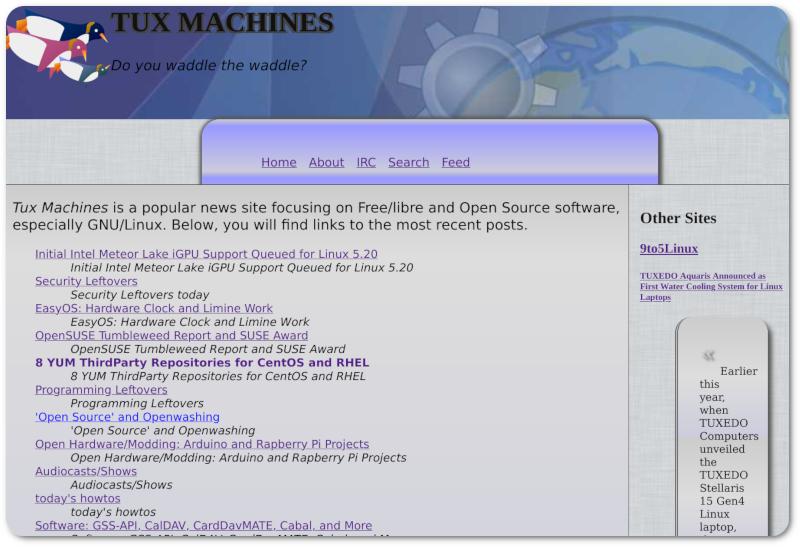
Given a week or two we’ll hopefully have a publicly-accessible beta of some kind, not yet a migrated site. This can lessen complexity and server load.
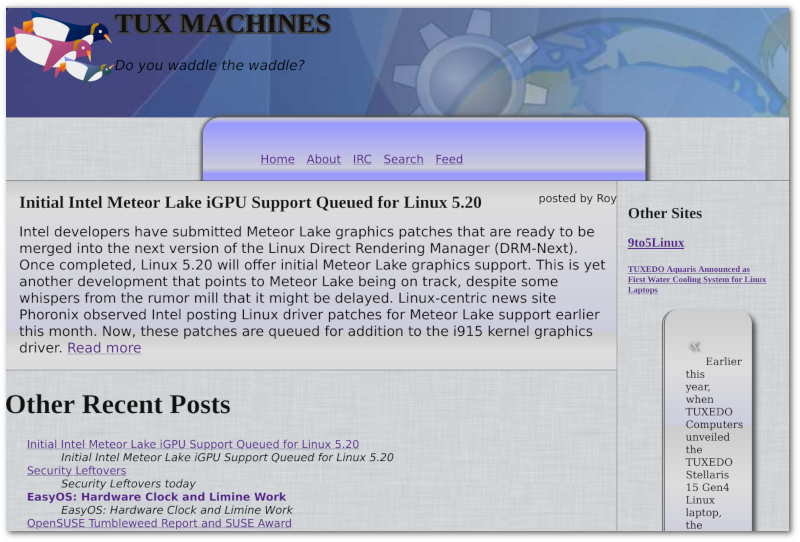
Yes, this shows tuxmachines.org, not Techrights, but if the former site’s migration goes well, we shall consider doing the same with Techrights, for reasons that are explained in the video (faster workflow, more resource efficiencies, more extensibility).
This post isn’t about any issues but about platforms that cover the issues. Having said that, it helps explain what’s wrong with the Web and how it can be tamed. Static pages are the only pages to be served with the new CMS, but there’s a database of all the pages, from which we plan to generate GemText files as well. The static pages are in effect exported from it. Unlike caching, there’s no need for hash tables and re-computation of pages. █
»
-

- Login or register to post comments
 Printer-friendly version
- 800 reads
 PDF version
More in Tux Machines
- Highlights
- Front Page
- Latest Headlines
- Archive
- Recent comments
- All-Time Popular Stories
- Hot Topics
- New Members
today's howtos
| Open Hardware: XON/XOFF and Raspberry Pi Pico
|
Security Leftovers
| How to Apply Accent Colour in Ubuntu Desktop
A step-by-step tutorial on how to apply accent colour in Ubuntu desktop (GNOME) with tips for Kubuntu and others.
|


 This section of TuxMachines will no longer have new stories in it (with some caveats, including this post). To see the latest stories go to


.svg_.png)

 Content (where original) is available under CC-BY-SA, copyrighted by original author/s.



Recent comments
2 days 3 hours ago
2 days 7 hours ago
2 days 7 hours ago
3 days 14 hours ago
3 days 15 hours ago
3 days 16 hours ago
3 days 16 hours ago
3 days 17 hours ago
3 days 19 hours ago
3 days 21 hours ago