
news
COSMIC 1.3 Desktop Environment Released with Frosted Glass Effect
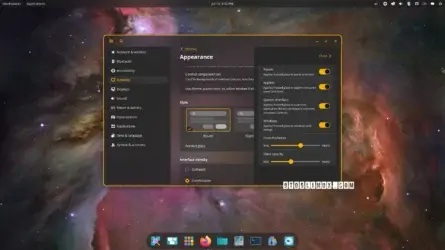
Coming two weeks after COSMIC 1.2, the COSMIC 1.3 release introduces the highly anticipated Frosted Glass effect that makes your graphical session transparent. Frosted Glass can be tweaked from the Appearance page in COSMIC Settings, under the Style section.
Frosted Glass can be enabled selectively for windows, panels, applets, or the system interface. You can make any combination possible. For example, you can have a Frosted Glass effect only for the panel and applet menus, or only for the panel and dock.
UbuntuHandbook:
-
COSMIC Desktop 1.3.0 Released with Frosted Glass UI Design
COSMIC desktop, the default desktop environment for Pop!_OS, released new 1.3.0 version today.
The new version of this free open-source System76 developed desktop environment introduced cool new frosted glass UI design, which can apply translucent glass effect for the backgrounds for most desktop components.
XDA:
-
The desktop environment every Linux distro wants just got a sleek frosted glass theme
Unfortunately, it doesn't seem that the new frosted glass effect will magically work with every app right out of the gate. The changelog says that app and applet developers will need to update their libcosmic versions to take advantage of this cool new theme, so it may be a little while before you see it applied to your fave apps.
Other than that, COSMIC Epoch 1.3.0 contains some nice additions. Cosmic-monitor can now show you the power usage for your AMD and Intel GPUs, and the Cosmic-applets Bluetooth integration will show you all known devices instead of hiding the ones it already knows about.
If this is the first time you've heard about COSMIC, it's a new desktop environment that has been taking the Linux world by storm. It saw a public stable release back in December 2025, and every major Linux distro wants it before it even turns one year old. As such, now sounds like a good time to grab COSMIC for your Linux distro and see what the hype is about.