
news
Radxa Cubie A7Z Single Board Computer Running Linux: Introduction to the Series
Quoting: Radxa Cubie A7Z Single Board Computer Running Linux: Introduction to the Series - LinuxLinks —
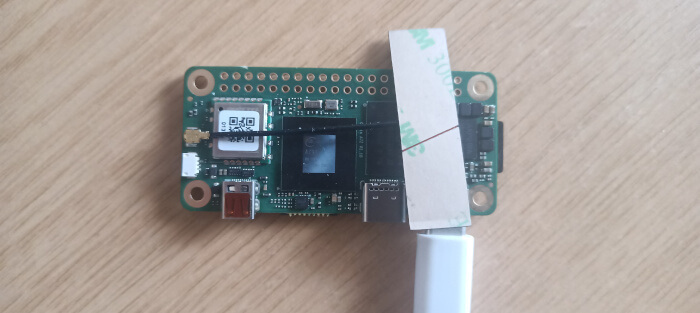
A bare board isn’t sufficient to get started. You’ll need system boot media and a power adapter. For the former, I used a good quality 128GB microSD card (class 10). While there’s an option to use onboard UFS (which is much quicker than a microSD card), my board doesn’t have onboard UFS. For the power supply I hooked up a standard 5.1V 5A USB-C power supply. But you can also use Radxa’s own PD 30W Power Adapter. You might also need to get a USB 3.0 to USB-C converter, as well as a micro HDMI to HDMI cable.
At the time of writing, there are a couple of images available. The Debian 11 image provides the Radxa OS, an open source operating system developed by the Radxa team based on the Debian Linux distribution. Android 13 is also available.
I wrote the Radxa OS to a microSD card using balenaEtcher (but you can use similar software). Download the image (radxa-cubie-a7z_bullseye_kde_b1.output_512.img.xz) from Radxa’s website and extract the image from the compressed archive with a file manager or from the command-line.